
How to Set Up a Bryte Smart Bed: Frame, Power, App, Firmness and BryteWaves
A step-by-step Bryte setup guide: frame and slat requirements, power and Wi-Fi, delivery day, pairing the Bryte Balance app, two-sleeper profiles, dialing in firmness, PRO zones, BryteWaves, Silent Wake and troubleshooting.
Disclosure: This page may contain affiliate links. They do not influence our editorial conclusions. Read the disclosure.
Our pick
- See price at Bryte
Top pick
Bryte
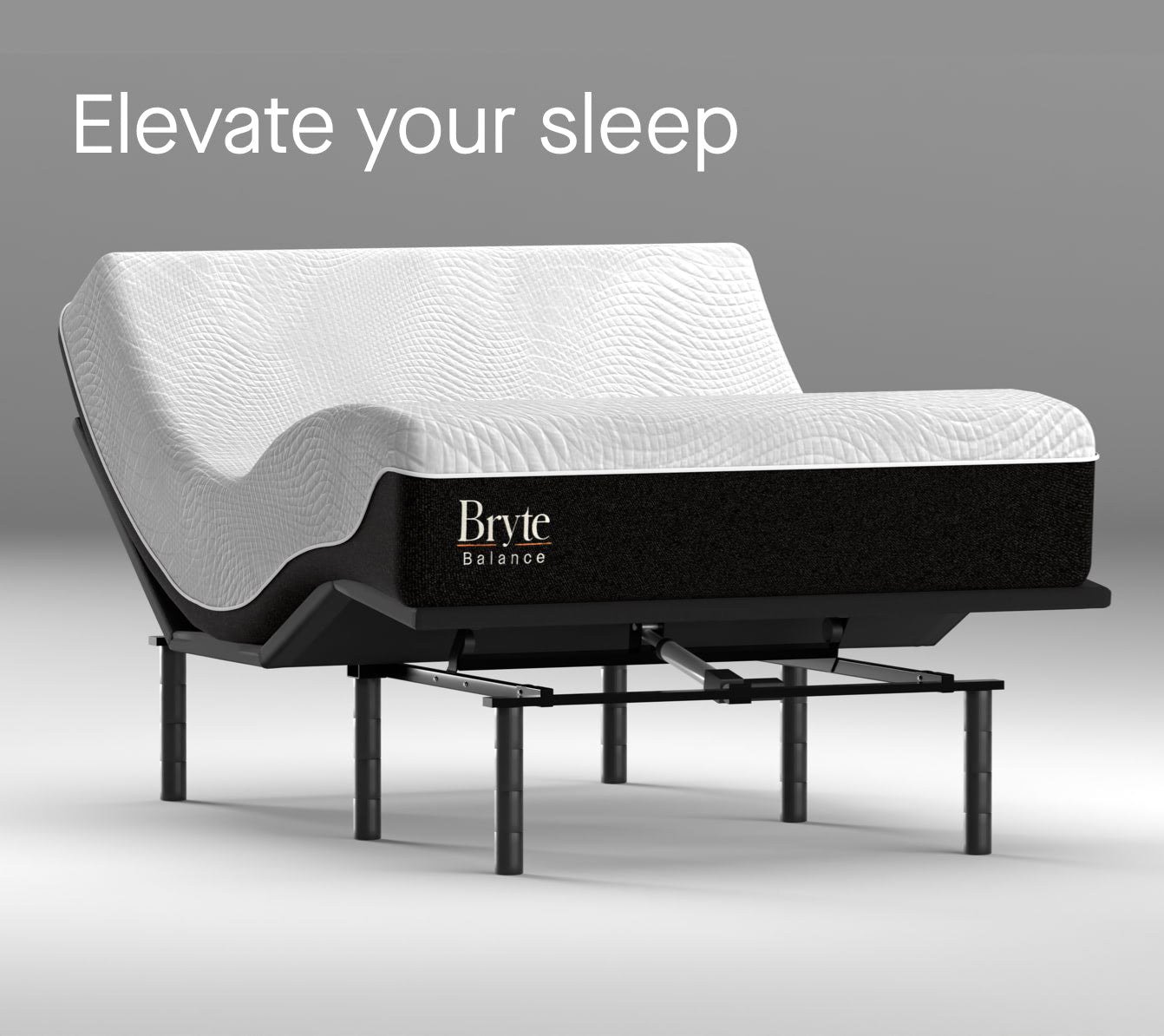
Bryte is a Silicon Valley smart bed company headquartered in Los Altos, California, that makes the Bryte Balance Signature, PRO and PRO Conform smart mattresses...
Steps in this guide
A Bryte Balance smart bed arrives with free in-home delivery and setup, so the heavy lifting is done for you. What the delivery team doesn't do is set up the app, the two sleeper profiles and your comfort settings. That part is up to you. It also helps to get the frame, power and Wi-Fi right before delivery day, because those details affect both comfort and your warranty. This step-by-step guide is based on Bryte's FAQ, warranty and product pages as published on November 12, 2026. It covers the Signature, PRO and PRO Conform models.

Step 1: Check your bed frame before delivery
Bryte mattresses don't come with a foundation, so the first job is making sure what you have will work. According to Bryte's FAQ and warranty, the base must be:
- Firm, flat and structurally sound. A platform bed, foundation, box spring, adjustable base or bed frame can all work.
- Strong enough for the mattress, which Bryte says weighs up to 150 lbs, plus everyone sleeping on it. Sleep Foundation lists a Queen PRO at 125 lbs and a King at 135 lbs.
- Tight on slats. If your frame or box spring has slats or support bars, the gaps should be no more than 3 inches wide.
- A single-unit adjustable base, if you use one. Bryte says the left and right sides must move together. Split head and split king bases are not compatible.
These aren't only comfort tips. Bryte's warranty excludes sagging or damage caused by an improper or unsupportive foundation, so a frame with wide slat gaps could cost you coverage later.
If you are adding the Bryte Premium Adjustable Base
The Bryte base comes pre-assembled with a leg kit. The 3-inch leg segments let you set a height of 3, 6, 9 or 12 inches, or you can set the base inside an existing frame with a platform or slats. If you want to attach a headboard, Bryte sells a universal attachment bracket for $125 through hello@bryte.com. Remember that the base is final sale, unlike the mattress.

Step 2: Prepare power and Wi-Fi
Bryte's warranty asks for a standard 120V household outlet and the power supply Bryte provides or approves. If you need an extension cord, power strip or surge protector, it must be UL- or CSA-listed and rated for the product. Damage from improper power, such as using 220V, is excluded.
Plan the outlet location too. Bryte says the electronics sit at the foot of the bed, away from the sleeper, partly to limit EMF exposure.
For Wi-Fi, have your network name and password ready. Bryte says Wi-Fi is required during setup. After that, the app talks to the bed over Bluetooth for everyday comfort changes.
Step 3: Clear the room for delivery day
Once your bed reaches a local delivery hub, a team member calls you to schedule a date and a 4-hour window. Bryte asks that the frame be open and clear before the crew arrives. The team brings the mattress to your bedroom, places it on the frame and takes the packaging away. If you ordered the base with the mattress, they install that too. If you want your old mattress removed, ask ahead. Haul-away is available in most states for a small fee.
Step 4: Plug in and check the light
When the mattress is in position, attach the power brick and plug it into the outlet. Bryte says a green light on the power supply means the mattress is properly plugged in.
Step 5: Download the app and create your profile
Download the Bryte Balance app from the App Store (iPhone or iPad) or Google Play (Android). Create an account or log in, then follow the prompts. The app walks you through:
- Pairing with the bed (you need to be near it).
- Choosing your Wi-Fi network.
- Getting an initial comfort recommendation based on your body and sleep preferences.
Setting up a second sleeper
Each person needs their own app and profile to control their side. Bryte says left and right are decided standing at the foot of the bed, facing the head, which is the reverse of how many people think about it lying down. Both profiles can adjust comfort, use BryteWaves and get sleep reports on their own, without affecting the other side.
If you sleep alone, go to Settings, select your bed and set the Side to Both so the whole mattress adjusts as one. Bryte notes there is no divider, so you can sleep in the middle. If two people share the bed, the middle may feel different when the two settings are far apart. Bryte doesn't currently support guest profiles.

Step 6: Dial in your firmness over two weeks
Open the app and tap Comfort to move the firmness slider anywhere from 0% to 100%. A loading bar shows while the bed adjusts. Tap Save to keep your favorite setting.
Bryte says the app checks in with you over the first two weeks, asks how you're sleeping and suggests adjustments. A sensible approach:
- Start with the recommended setting and give it a few nights before changing it.
- Change in small steps, then sleep on each setting at least one night.
- Think about your position. Side sleepers usually want more give at the shoulders and hips. Back and stomach sleepers often prefer more support.
Your model sets the range the 0–100 slider covers. The Signature runs medium-soft to medium-firm, the PRO runs soft to medium, and the PRO Conform runs medium-soft to firm. If your preferred setting keeps sitting at one end of the slider, that's a sign to ask Bryte whether a different model would suit you better while you're still within the 100-night trial.
PRO models: zones and contours
On the PRO and PRO Conform, open Advanced Personalization to choose a contour profile for back, side or front sleeping. You can also tune up to 8 individual zones across your body, for example softening the shoulder zone or firming the lumbar zone.
Step 7: Try BryteWaves
Tap the Waves icon at the bottom of the app. You can browse natural soundscapes, ambient tracks and sleep songs. For most tracks you choose a length, then pair motion with audio or use motion or audio alone. Audio plays through your phone, headphones or a Bluetooth speaker. Tap the arrow at the top left of a track to download it for offline use.

Step 8: Set Silent Wake and meet the Sleep Concierge (PRO)
On PRO models, set a wake time and the mattress uses silent motion to wake you gradually without disturbing your partner. The Sleep Concierge sits behind the circle on the home screen or in the Sleep Insights tab. You can ask it about trends in your sleep, and it can suggest or apply short-term comfort changes, for example if you're sore after a workout.
Step 9: Read your Sleep Insights
Each morning the app shows your sleep stages, efficiency, continuity, duration and a sleep score, plus how many pressure adjustments the bed made and where. Bryte says the number of adjustments is neither good nor bad. It simply reflects how much you moved. Pets napping on the bed can show up in the data. Bryte also notes that its figures won't exactly match a fitness tracker, so compare trends rather than single nights.
Troubleshooting and everyday tips
- No Wi-Fi at night? You can switch Wi-Fi off. Bryte says the bed will still adjust comfort, play downloaded BryteWaves tracks and balance pressure. Your sleep data uploads once Wi-Fi is back on. Wi-Fi is needed for insights, new downloads and the Concierge.
- Power cut? The bed keeps its air and firmness and works like a standard mattress until power returns.
- A faint hum is normal when the bed adjusts in a quiet room.
- Something not right? In the app, go to Settings, then Help & Support, then Contact support. You can also email hello@bryte.com or call 844-420-1018.
- Lost the power supply in a move? Bryte can invoice you for a replacement.
- Protect your warranty. Use a mattress protector or sheets, keep the law tag on, and don't open the electronics.
If you haven't ordered yet, our Bryte shopping guide explains delivery, the trial and the warranty. Our Bryte Balance review helps you choose a model.
References
- Bryte, Frequently Asked Questions: https://www.bryte.com/faq
- Bryte, Warranty: https://www.bryte.com/warranty
- Bryte, Bryte Premium Adjustable Base: https://www.bryte.com/shop-bryte-premium-base
- Bryte, How It Works: https://www.bryte.com/how-it-works
- Bryte, Bryte Balance PRO: https://www.bryte.com/shop-bryte-balance-pro
- Bryte, Perfect Fit Guarantee: https://www.bryte.com/perfect-fit-guarantee
- Sleep Foundation, Bryte Balance PRO Mattress Review: https://www.sleepfoundation.org/mattress-reviews/bryte-balance-pro-mattress-review
Meet your guide
Lipeiguan
author
What to read next
 How to Choose a SwitchBot Lock: Lock Pro vs Lock Ultra vs Lock Vision and Vision Pro A research-based guide to official SwitchBot Lock Pro, Lock Ultra, Lock Vision and Lock Vision Pro specs and November 20, 2026 U.S. prices, including batteries, hubs, keypads, comp...
 Best DREO Humidifiers (2026): 713S, 717S, 735S, 747S and Evaporative 774S Compared A research-based 2026 comparison of official DREO humidifier specs and November 19, 2026 listed prices for the 713S, 717S cartridge bundle, 735S, 747S, and evaporative 774S, includ...
 How to Install and Use SwitchBot Curtain 3 A research-based SwitchBot Curtain 3 how-to as of November 18, 2026: official Rod 3 package contents, 15–40 mm track fit, app pairing before hanging, magnet stops, calibration, Tou...