
Prime Video Plans Explained: Prime vs Prime Video Membership vs Ultra vs Add-Ons (FAQ)
A buyer's FAQ on Prime Video's US plans: Prime vs the standalone membership, what Prime Video Ultra adds, which ads remain, add-on subscription prices and how to cancel.
Disclosure: This page may contain affiliate links. They do not influence our editorial conclusions. Read the disclosure.
Our pick
- See price at Prime Video
Top pick
Prime Video
Amazon's streaming video service, included with Amazon Prime membership.
What this guide covers
Amazon now sells Prime Video in several layers: included with Amazon Prime, as a standalone Prime Video membership, with the Prime Video Ultra upgrade on top, and with more than 100 add-on subscriptions from other streaming services. The names overlap, and it is easy to pay for the same thing twice. This FAQ sets out what each layer costs in the US, what it adds, and how to pick the cheapest setup for the way you watch. Prices are as published by Amazon at the time of writing, so check your account page before you subscribe.

The four layers at a glance
| Layer | US price | What it gives you |
|---|---|---|
| Amazon Prime | $14.99/month or $139/year | Prime Video benefit with ads, plus shipping and other Prime perks |
| Prime Video membership | $8.99/month | Prime Video benefit only, no shipping perks |
| Prime Video Ultra | $4.99/month, or $45.99/year for annual Prime members | Ad-free Prime movies and shows, 4K/UHD, Dolby Atmos, more streams and downloads |
| Add-on subscriptions | About $4.99 to $19.99/month each | Content from HBO Max, Apple TV, Peacock Premium Plus, Paramount+ and others |
Amazon also lists discounted Prime memberships: Prime for Young Adults at $7.49 a month or $69 a year, and Prime Access at $6.99 a month for verified recipients of EBT, Medicaid, SNAP and other select government assistance.
Do I need Amazon Prime to watch Prime Video?
No. Amazon's membership fee page lists a separate Prime Video membership at $8.99 a month, which gives you the Prime Video catalog without the shopping benefits. If you already pay for Prime, Prime Video is included and there is nothing extra to buy.
Which is cheaper depends on what else you use. If you order from Amazon often enough to value free shipping, $14.99 a month for Prime covers both. If you only want to stream, the $8.99 Prime Video membership is $6 a month less.
What is Prime Video Ultra?
Prime Video Ultra replaced the old Ad Free add-on in the US. According to Amazon, it costs $4.99 a month on top of Prime or a Prime Video membership. Customers on annual Prime plans can choose an annual Ultra plan at $45.99, which Amazon describes as a 23% discount on the monthly rate.
Here is how it compares with the standard benefit, per Amazon's announcement:
| Feature | Included with Prime | With Prime Video Ultra |
|---|---|---|
| HD, HDR10 and HDR10+ | Yes | Yes |
| Dolby Vision | Yes (newly added) | Yes |
| Concurrent streams | 4 | 5 |
| Offline downloads | 50 | 100 |
| 4K/UHD | No | Yes |
| Dolby Atmos | No | Yes |
| Ad-free movies and shows | No | Yes |
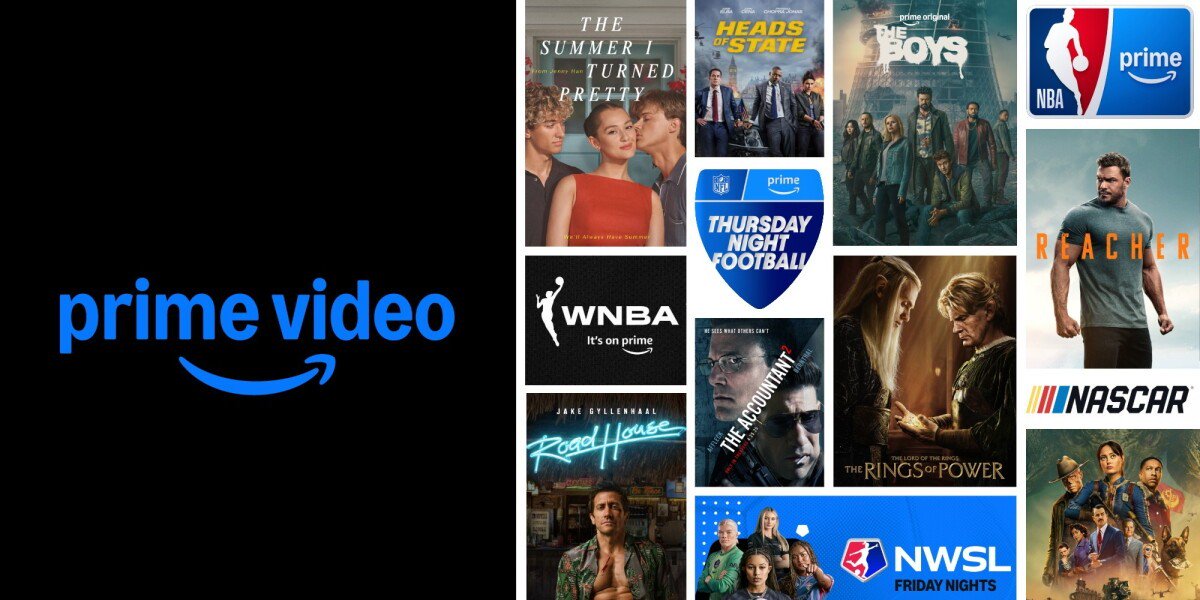
Amazon says the content library is the same with or without Ultra, including originals such as Fallout, Reacher, The Boys and The Lord of the Rings: The Rings of Power, and live sports from the NFL, NBA, WNBA, NASCAR, NWSL and The Masters.
Does Ultra remove all ads?
Not quite. Amazon's footnote says live TV and events such as sports, plus other select ad-supported content and add-on subscriptions, may still include ads with Ultra. Its help page adds that some titles include promotional trailers before a movie or show. You can skip them, but Ultra cannot remove them.
Is Ultra worth $4.99 a month?
It depends on three things:
- You have a 4K TV and good bandwidth. 4K/UHD is now exclusive to Ultra. Amazon notes that 4K, Dolby Vision and Atmos apply to Prime movies and shows and depend on your internet connection and device, and that not all content is available in every resolution.
- Ads bother you. For on-demand movies and shows, Ultra removes them. For live sports, it may not.
- Your household streams on several screens. The jump from 4 to 5 streams and from 50 to 100 downloads mainly matters for big families or frequent travelers. Amazon says those limits apply across all profiles on the account, and title, device and provider limits may also apply.
If you mostly watch on a phone or an HD TV and do not mind the ads, the included benefit is enough.
Can I share Ultra with my family?
Profiles on your own account get Ultra. Amazon's help page says profiles linked from other Amazon accounts through Amazon Family sharing are not eligible to share your Ultra benefit, though they can buy their own from Prime Video settings. Amazon also notes that US Prime members can share Prime benefits, including Prime Video itself, through Amazon Family.
How do I sign up for Ultra?
On the Prime Video website, go to Your Account, select Go Ad Free with Ultra, then Start Subscription. In the Prime Video apps for Android, iOS, Fire TV, smart TVs, game consoles and set-top boxes, go to Settings, select Prime, then Go Ad Free with Ultra. Amazon says the annual option is only offered if you pay for Prime annually. Otherwise, Ultra is monthly only.

What are Prime Video add-on subscriptions?
Formerly called Prime Video Channels, these let you subscribe to other services and watch them inside the Prime Video app, with one bill and one account. In the US, Amazon says anyone, with or without Prime, can access more than 100 subscriptions and over 900 free ad-supported (FAST) channels, and rent or buy titles.
Amazon lists these US prices on its explainer page, which it last updated on September 17, 2026:
- HBO Max: $10.99 a month (Basic) or $18.49 (Standard)
- Apple TV: $12.99
- Peacock Premium Plus: $16.99
- FOX One: $19.99
- STARZ: $10.99
- Paramount+: $7.99 (Essential) or $12.99 (Premium)
- MGM+: $7.99
- Crunchyroll: $7.99 (Fan) or $11.99 (Mega Fan)
- AMC+: $6.99 with ads or $9.99 without (except live TV and a few shows)
- BET+: $5.99 with limited ads or $10.99 without
- ViX Premium: $5.99 with ads or $8.99 without
- Wonder Project: $8.99
- BritBox: $10.99
- PBS KIDS: $4.99
- CNN All Access: $6.99
Amazon also mentions bundles, including Apple TV with Peacock Premium Plus; AMC+, MGM+ and STARZ; HBO Max with Cinemax; and MGM+ with BritBox. Prices change, so check the Subscriptions tab before you sign up.
Does Ultra make add-on subscriptions ad-free?
No. Ultra covers Prime movies and TV shows. An add-on's ad level depends on the tier you choose, such as AMC+ with ads versus without.
How do I cancel?
- A Prime Video-only membership: go to Account & Settings, open the Your Account tab and select End Subscription. To cancel Amazon Prime instead, choose Edit on Amazon under Prime Membership.
- An add-on subscription: go to Account & Settings, choose Subscriptions, find the service and select Unsubscribe (it may appear as "withdraw"). You keep access until the end date shown, and you can reverse the cancellation until then. Amazon says canceling does not refund earlier charges.
- If you pay through Apple: cancel add-ons at least 24 hours before renewal, or you may be charged.
- If a third party bills you, such as a mobile carrier, contact them.
Amazon also notes that add-on subscriptions tied to your Prime or Prime Video membership do not renew once your Prime membership ends.

Example setups
- Occasional viewer, rarely shops on Amazon: $8.99 Prime Video membership, keeping the ads.
- Regular Amazon shopper with an HD TV: Prime alone. Add Ultra only if ads bother you.
- 4K home theater: Prime or the Prime Video membership plus Ultra ($4.99), since 4K and Atmos now require it.
- Movie marathon: check what is already included first. For example, our James Bond watch-order guide and the news that all 25 Bond films are streaming cover what Prime includes and what costs extra.
- Seasonal sports or one show: add a single subscription for a month, then unsubscribe before the next billing date.
To see what is arriving next, read our November 2026 Prime Video lineup.
Bottom line
Start with the cheapest base that fits your life: Prime if you shop on Amazon, or the $8.99 Prime Video membership if you only stream. Add Ultra only for 4K, Atmos or ad-free on-demand viewing, and remember that live sports may still show ads. Treat add-on subscriptions as month-to-month extras you can switch off between shows.
References
- Amazon. "Prime Video's Ad Free subscription is now Prime Video Ultra." About Amazon. https://www.aboutamazon.com/news/entertainment/prime-video-ultra-ad-free-streaming-subscription
- Amazon Customer Service. "Sign Up for Prime Video Ultra." https://www.amazon.com/gp/help/customer/display.html?nodeId=TQxvJTrRbxz5mNiBBP
- Amazon Customer Service. "The Amazon Prime Membership Fee." https://us.amazon.com/gp/help/customer/display.html?nodeId=G34EUPKVMYFW8N2U
- Amazon. "What are subscriptions on Prime Video? Everything to know." About Amazon, updated September 17, 2026. https://www.aboutamazon.com/news/entertainment/what-are-prime-video-channels
- Prime Video Help. "Cancel My Prime Video Subscription." https://www.primevideo.com/help?nodeId=GWGDSNXVPJ93UW5V
- Prime Video Help. "Cancel Your Prime Video Add-On Subscription." https://www.primevideo.com/help?nodeId=G3BQ95AL4WZLV9ZG
Meet your guide
Lipeiguan
author
What to read next
 Apple TV Will Be the Exclusive U.S. Home of F1 Academy Beginning in 2027 On November 19, 2026, Apple said F1 Academy will stream on Apple TV in the United States beginning in 2027, with every qualifying session and race included for U.S. Apple TV subscr... How to Watch F1 Academy on Apple TV in 2027: Official Calendar and Subscription Note Apple said U.S. Apple TV subscribers will get every F1 Academy qualifying session and race beginning in 2027. This guide records the official seven-round 2027 calendar graphic and...
 Google Adds Computer Use to the Gemini App for Mac in the U.S. On November 19, 2026, Google said computer use is available in the Gemini app for Mac, in English in the U.S. Official requirements include an Apple Silicon Mac on macOS Sequoia 15...