
How to Listen to Audiobooks and Podcasts on Sonos: Audible, Libby, Pocket Casts and More
Which audiobook and podcast services work on Sonos (Audible, Libby, Storytel, Bookmate, Pocket Casts, Spotify, Amazon Music, iHeartRadio, BBC Sounds), how to add them in the Sonos app, and how to use sleep timers and grouping for spoken word.
Disclosure: This page may contain affiliate links. They do not influence our editorial conclusions. Read the disclosure.
Our pick
- See price at Sonos
Top pick
Sonos
Santa Barbara, California audio company making wireless Wi-Fi speakers, soundbars, subwoofers, headphones and amplifiers controlled from the Sonos app.
Steps in this guide
Sonos speakers are best known for music, but many owners use them for spoken word: an audiobook while cooking, a podcast in the bathroom, or a story at bedtime with a sleep timer. Sonos lists 137 content services in its US support directory, and a good number carry audiobooks or podcasts. Some cost nothing beyond a library card.
This guide covers which audiobook and podcast services work on Sonos, how to add them, and the settings worth knowing. It is based on Sonos's official service pages and support articles as of November 14, 2026, so it is research-based rather than a hands-on test. Service availability can vary by country.

Audiobook services that work with Sonos
Sonos tags each service in its directory by type. These are the ones Sonos labels "On demand, audiobooks":
| Service | What Sonos says | Cost to add |
|---|---|---|
| Audible | Audible's audiobook library on Sonos; "Direct control available," so you can also cast from the Audible app | Audible membership or purchased titles |
| Libby by OverDrive | "Listen to free audiobooks from your public library" | "Free to add"; you need a library card |
| Storytel | Audiobook subscription; Sonos says you must use a Storytel Unlimited account | Storytel Unlimited |
| Bookmate | Subscription audiobook catalog with recommendations | Bookmate subscription |
All four stream at what Sonos calls "standard quality audio," which is plenty for speech.

Audible
You can play Audible on Sonos in two ways:
- From the Sonos app. Add Audible as a content service (steps below), sign in, and browse your library inside the Sonos app.
- From the Audible app. Audible's own Sonos page says to make sure your phone is on the same Wi-Fi as your Sonos speaker, pick a book, tap "Connect to Device" and choose the speaker. This is what Sonos means by "direct control."
Sonos's features list highlights picking up "right where you left off," so you can listen on the go and continue at home. There's one trade-off with direct control: a Sonos staff answer in the Sonos Community says that when you play through the Audible app, the Sonos app's Now Playing screen won't show the "About this Book" details. It shows only the crossfade and sleep timer controls.
Libby: free audiobooks from your library
For many listeners, Libby is the best value. Sonos describes it as a way to "listen to free audiobooks from your public library," and the service is free to add. You'll need a card from a participating public library. Borrowing limits, waitlists and loan periods are set by your library, not by Sonos.

Storytel and Bookmate
Storytel offers unlimited listening and a large catalog in multiple languages, according to Sonos. Its Sonos page lists saving books to a bookshelf as a feature and requires a Storytel Unlimited plan. Bookmate is a subscription service covering bestsellers, classics and business books, with recommendations from algorithms and editors. Check the Availability section on each service's Sonos page for your country.
Podcast services that work with Sonos
Several services Sonos tags with "podcasts":
- Pocket Casts ("On demand, podcasts"): Sonos says you can reach your New Releases, In Progress and Starred episodes in the Sonos app, and it syncs your place in each podcast. That makes it a strong choice for moving between phone and speaker.
- Spotify ("On demand, radio, podcasts"): free to add, with direct control. Sonos supports Spotify Free and Premium. With a Free account you can search in the Sonos app but are limited to six song skips per hour when listening to music.
- Amazon Music ("On demand, podcasts"): Sonos says anyone can sign in and listen with no subscription needed, including "millions of podcast episodes."
- iHeartRadio ("On demand, radio, podcasts"): free, with direct control on Android only, and on-demand shows alongside live radio.
- BBC Sounds ("Radio, podcasts"): free to add, with BBC podcasts and radio. Sonos says it lets you "continue listening from where you left off on any device." New episodes from programmes you follow collect in one list, My Sounds.
If you keep your own audiobook files, Sonos also lists Plex, which streams from your personal media collection to Sonos at CD quality (up to 16-bit/44.1 kHz). Its Sonos page also lists family features: several people can share one Plex server while each keeps a personal profile with separate playlists, which suits a household where each person is partway through a different book.
How to add a service in the Sonos app
Sonos's support article gives these steps for the Sonos app on iOS or Android:
- Open the Account menu.
- Select Content Services.
- Under Connected Services, select Add Content Service.
- Choose the service (for example Audible or Libby by OverDrive) and select Add to Sonos.
- Follow the on-screen sign-in steps.
In the Sonos Web app, go to the Your Services section on the Home screen, select the add icon, then the service and Add to Sonos. Sonos notes that some services can only be added from a mobile device, and that you can add more than one account for the same service. That helps when family members have separate Audible or library accounts.

Settings that make spoken word better
Set a sleep timer
Bedtime stories and sleep podcasts need a timer. Sonos's instructions for the iOS or Android app: on the Now Playing screen, select the More icon at the bottom right, choose Sleep Timer, and pick a duration. The remaining time shows next to the option. On the macOS or Windows Sonos app, select Sleep Timer at the bottom of the Select a Music Source pane.
Use Sonos Favorites and search
The Sonos app brings all your services together. Its guide describes search across services and saving content to Sonos Favorites. Pin the audiobook you're working through so it's one tap from Home.
Group rooms for long listening sessions
The Sonos app's output selector lets you move what's playing to another speaker or group several speakers at the same relative volume. You can follow a chapter from the kitchen to the living room without restarting it.
Which Sonos speaker for audiobooks?
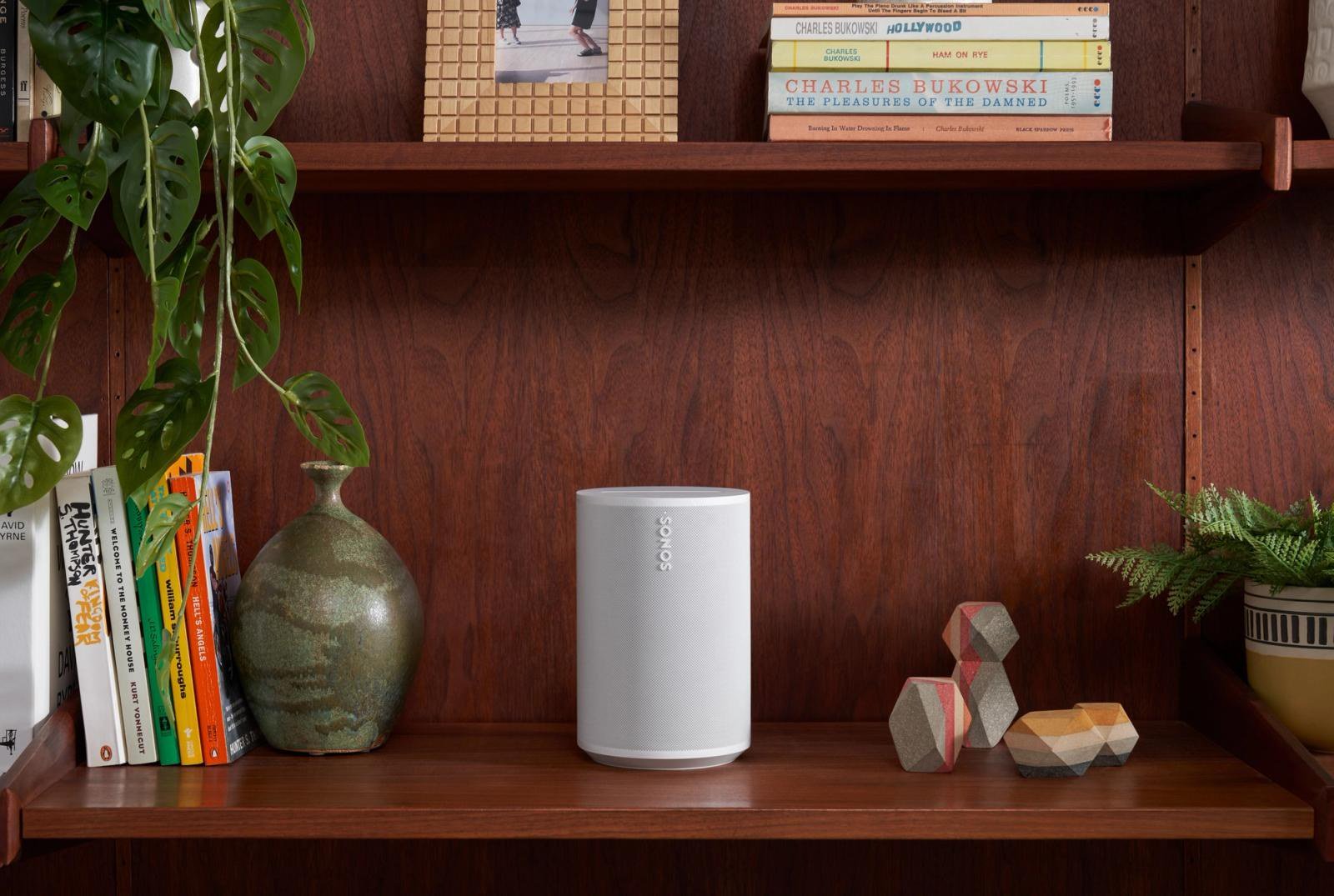
Speech doesn't need a big speaker, so a compact model is usually enough for a kitchen, bedroom or office. The Sonos Era 100 is Sonos's compact smart speaker, listed at $219 on sonos.com when we checked. We cover it in our Sonos Era 100 review, and in our Era 100 vs Era 100 SL comparison if you don't need voice control. If you want to take audiobooks outdoors, see our Sonos portable speaker comparison. For shipping, returns and warranty details, read our Sonos shopping guide.

Quick troubleshooting
- Can't find a service? Each Sonos service page has an Availability section listing where it works, and Sonos notes some services can only be added from a phone.
- Playing from the Audible app? Make sure your phone and speaker are on the same Wi-Fi network.
- Lost your place? Use a service that syncs progress, such as Audible, Pocket Casts or BBC Sounds by Sonos's descriptions, so you can switch devices.
Bottom line
Sonos handles spoken word well once you add the right services. Audible works both inside the Sonos app and through direct control. Libby brings free library audiobooks. Pocket Casts, Spotify, Amazon Music, iHeartRadio and BBC Sounds cover podcasts. Add a sleep timer and a compact speaker like the Era 100 and you have a good setup for books and shows around the house.
References
- Sonos Support, Services on Sonos directory: https://support.sonos.com/en-us/services
- Sonos Support, Audible on Sonos: https://support.sonos.com/en-us/services/audible
- Sonos Support, Libby by OverDrive on Sonos: https://support.sonos.com/en-us/services/libby-by-overdrive
- Sonos Support, Storytel on Sonos: https://support.sonos.com/en-us/services/storytel
- Sonos Support, Bookmate on Sonos: https://support.sonos.com/en-us/services/bookmate
- Sonos Support, Pocket Casts on Sonos: https://support.sonos.com/en-us/services/pocket-casts
- Sonos Support, Spotify on Sonos: https://support.sonos.com/en-us/services/spotify
- Sonos Support, Amazon Music on Sonos: https://support.sonos.com/en-us/services/amazon-music
- Sonos Support, iHeartRadio on Sonos: https://support.sonos.com/en-us/services/iheartradio
- Sonos Support, BBC Sounds on Sonos: https://support.sonos.com/en-us/services/bbc-sounds
- Sonos Support, Plex on Sonos: https://support.sonos.com/en-us/services/plex
- Sonos Support, Add a content service to Sonos: https://support.sonos.com/en-us/article/add-a-content-service-to-sonos
- Sonos Support, Set a sleep timer on Sonos: https://support.sonos.com/en-us/article/set-a-sleep-timer-on-sonos
- Sonos, Sonos app guide: https://www.sonos.com/en-us/guides/sonosapp
- Audible, Audible on Sonos: https://www.audible.com/ep/aboutsonos
- Sonos Community, How to add audible.in service in Sonos app (Sonos staff answer): https://en.community.sonos.com/controllers-music-services-229131/how-to-add-audible-in-service-in-sonos-app-6930048
- Sonos, Era 100: https://www.sonos.com/en-us/shop/era-100
Meet your guide
Lipeiguan
author
What to read next
 How to Choose a SwitchBot Lock: Lock Pro vs Lock Ultra vs Lock Vision and Vision Pro A research-based guide to official SwitchBot Lock Pro, Lock Ultra, Lock Vision and Lock Vision Pro specs and November 20, 2026 U.S. prices, including batteries, hubs, keypads, comp...
 Best RayNeo Glasses (2026): Air 3s, Air 4 Pro, GT, GT Max, iO and X3 Pro A research-based 2026 best-of guide to official RayNeo Air, GT, iO and X3 Pro specs and November 20, 2026 U.S. sale prices, with a buyer FAQ on 3DoF, prescription lenses, bundles a...
 RayNeo GT and GT Max vs XREAL One and One Pro: Display, Price and Fit A research-based comparison of official RayNeo GT and GT Max specs and November 20, 2026 U.S. sale prices against XREAL One and One Pro, including field of view, weight, IPD, audio...