
Nest Doorbell (Wired, 3rd Gen) vs Nest Doorbell (Battery): Which Google Doorbell to Buy in 2026
Both Google Nest Doorbells cost $199.99, so the choice comes down to wiring, video quality and subscriptions. We compare the wired 3rd gen's 2K camera and 24/7 recording option with the battery model's easy install, battery life and cold-weather limits, using Google's own specs.
Disclosure: This page may contain affiliate links. They do not influence our editorial conclusions. Read the disclosure.
Our pick
- See price at Google Store
Top pick
Google Store
Google's online store for Pixel phones, Fitbit wearables, Nest devices and accessories.
Google currently sells two Nest Doorbells on its own store, and they cost the same: the Nest Doorbell (wired, 3rd gen) and the Nest Doorbell (battery) are both listed at $199.99 on the Google Store as of November 12, 2026. With price off the table, the choice comes down to three practical questions: what wiring is already at your front door, how much video you want to keep, and whether you plan to pay for a Google Home Premium plan.
This guide compares the two models using Google's own spec sheets, comparison table and support documents. It is a research-based comparison, not a hands-on test, and every number below comes from the sources listed at the end.

The short answer
- Pick the wired 3rd gen if your home already has a working doorbell transformer rated 16–24VAC and you want the sharper 2K camera, 24/7 recording as an option, and the Gemini features in Google Home Premium.
- Pick the battery model if you rent, have no doorbell wiring, or your transformer is too weak for the wired model. It installs with screws and a base plate, and it can still be wired later if you want the chime to ring.
Side-by-side specs
| Nest Doorbell (wired, 3rd gen) | Nest Doorbell (battery) | |
|---|---|---|
| Google Store price | $199.99 | $199.99 |
| Camera | 2K (2048 x 2048) sensor | 1/3-inch, 1.3MP color sensor |
| Video | Up to 2K at 30 FPS, HDR | 960 x 1280, up to 30 FPS, HDR |
| Field of view | 166° diagonal, 1:1 aspect ratio | 145° diagonal, 3:4 aspect ratio |
| Zoom | 6x digital | 6x digital |
| Included video history | Up to 6 hours of event video previews (clips up to 10 seconds) | Up to 3 hours of event video history (clips up to 3 minutes) |
| 24/7 continuous recording | Up to 10 days with Google Home Premium Advanced | Not available |
| Power | Existing wiring: 16–24VAC, 10–40VA transformer (Indoor Power Adapter optional) | Built-in 6 Ah battery, or wire to an 8–24VAC, 10VA transformer |
| Weather rating | IP65 | IP54 |
| Night vision | Six 850 nm IR LEDs, up to 10 ft | Four 850 nm IR LEDs, up to 10 ft |
| Size and weight | 5.2 x 1.7 x 1.1 in, 4.9 oz | 6.3 x 1.8 x 0.95 in, 7.3 oz |
| Colors | Snow, Hazel, Linen | Snow, Ivy, Linen, Ash |
| Warranty | 1 year (3 years via Nest Pro in the US and Canada) | 1 year (3 years via Nest Pro) |
Both doorbells need the Google Home app and a Google Account; neither works with the old Nest app or the home.nest.com site. Both include intelligent alerts for people, packages, animals and vehicles, plus Activity Zones, live view and two-way talk, without a subscription.
Camera and field of view
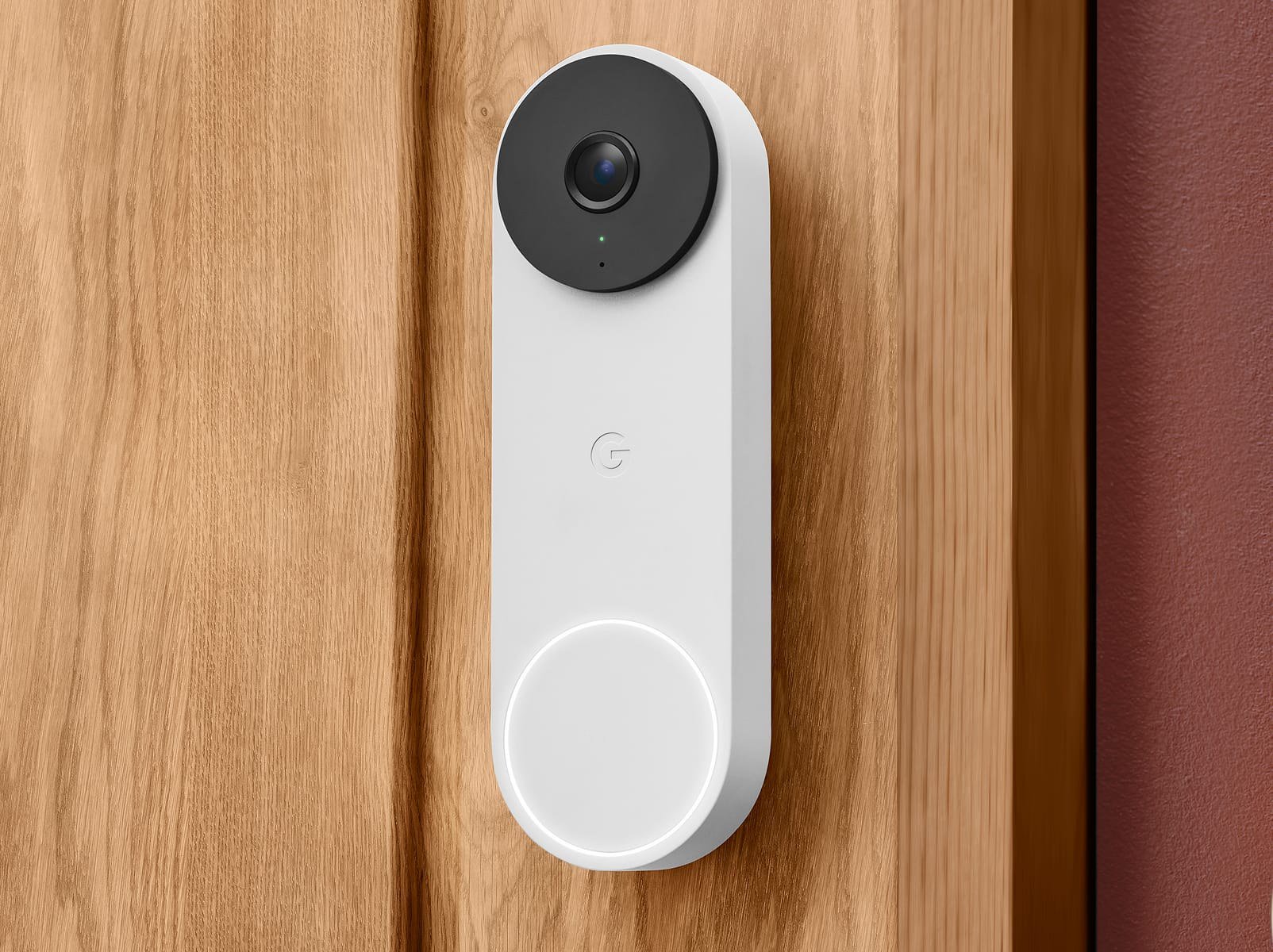
The biggest hardware gap is the camera. The wired 3rd gen uses a square 2K sensor with a 166° diagonal field of view, which Google describes as its "widest, tallest field of view yet." The square 1:1 frame is meant to show a visitor head to toe and a package on the doormat in the same shot.
The battery model records 960 x 1280 video in a tall 3:4 frame with a 145° diagonal view. Google says that is enough to see people in full and keep ground-level deliveries in view, but it is a lower resolution, so zooming into a face or a license plate leaves less detail to work with.
The wired 3rd gen product page also cites a DXOMARK ranking, saying the doorbell was "rated best doorbell camera for 2026 by DXOMARK." That claim is Google's; we have not independently verified the DXOMARK scoring.

Power and installation: the deciding factor for most homes
Wired 3rd gen
The wired model has no battery. Google's spec sheet says it must be connected to a 16–24VAC, 10–40VA, 50/60Hz doorbell transformer, and it must be used with the chime connector in the box when it is connected to a wired chime. If your house has no doorbell wiring or the wrong transformer, Google points you to two options: install the optional Indoor Power Adapter, or buy the battery model instead.
A few compatibility details matter before you buy:
- Your wired chime will not ring if the doorbell is powered by the Indoor Power Adapter.
- The wired doorbell is not compatible with battery-powered wireless chimes.
- Google notes you may need a new transformer and chime (both sold separately) and links a compatibility checker at g.co/nest/works.
Battery
The battery model runs on a built-in rechargeable 6 Ah, 3.65V lithium-ion battery and mounts with a base plate and screws. Google markets it as installable "in minutes," which is why it is the usual choice for renters. Out of the box, pressing the button sends notifications to your phone and compatible "Hey Google" speakers and displays, but your existing wired chime will not ring. If you want the chime, you can connect the doorbell to existing wires on an 8–24VAC, 10VA transformer, which also keeps the battery topped up.
Both models offer professional installation booked through the Google Store checkout.

Battery life and cold weather
Google's support page on saving battery gives three typical scenarios for the Nest Doorbell (battery):
- Busy: about 1 month with 25–30 recorded events a day.
- Typical: about 2.5 months with 13–16 recorded events a day.
- Quiet: about 6 months with 2–5 recorded events a day.
Charging takes about 5 hours with a compatible 7.5W adapter, which Google says is sold separately for the doorbell. Cold is the main limitation: the battery won't charge below 32°F (0°C), and Google notes that even a wired battery doorbell needs to be brought inside and charged by cable when temperatures fall below freezing. Battery life also shortens as it gets colder. If you live somewhere with long freezing winters, that is a strong reason to choose the wired model if your wiring allows it.
The spec sheets list the same operating range for both doorbells, –4°F to 104°F (–20°C to 40°C), but the wired model has the higher IP65 dust and water rating versus IP54 for the battery model.
Video history and what Google Home Premium adds
Both doorbells save some video for free, but in different ways. The battery model keeps 3 hours of event video history with clips up to 3 minutes, and Google says it keeps recording for one hour if your Wi-Fi goes down. The wired 3rd gen keeps 6 hours of event video previews, but those clips are capped at 10 seconds.
For longer history you need Google Home Premium, which Google lists at:
- Standard: $10 a month or $100 a year, with 30 days of event video history and familiar face alerts.
- Advanced: $20 a month or $200 a year, with 60 days of event history and, on supported cameras, 10 days of 24/7 continuous video history.
This is where the two doorbells really split. Google's comparison table says the battery model cannot record 24/7, whether it is on battery or wired. The wired 3rd gen can, with the Advanced plan. The wired page also highlights Gemini features in Google Home Premium: searching your video history by asking a question, more descriptive notifications, event descriptions and a daily "Home Brief" summary. Google says these Gemini features require a subscription, and the wired 3rd gen comes with one month of Google Home Premium Advanced at no charge.
If you already pay for Google Home Premium for other Nest cameras, one subscription covers every device in your home. Our Nest Cam buying guide covers how the same plans work with Google's indoor, outdoor and floodlight cameras.

Everyday features both share
- Alerts without a subscription: person, package, animal and vehicle alerts, plus motion in custom Activity Zones.
- Two-way audio with noise cancellation: talk to visitors from your phone, a Pixel Watch, or a Nest display.
- Viewing on other screens: Google says the doorbell feed works on Nest displays, Pixel Tablet and Google TV Streamer.
- Voice assistants: Gemini for Home and Alexa.
- Security: encrypted video, two-step verification through your Google Account, and a status light when the camera is streaming.
- Theft replacement: the battery model's page says it comes with a theft replacement guarantee.
Which one should you buy?
Choose the Nest Doorbell (wired, 3rd gen) if:
- You have an existing wired doorbell and a 16–24VAC transformer, or you are willing to replace it or use the Indoor Power Adapter.
- You want 2K video and the widest, square field of view for packages on the ground.
- You plan to pay for Google Home Premium Advanced and want 24/7 recording or the Gemini search and summary features.
- You live where winters stay below freezing for long stretches.
Choose the Nest Doorbell (battery) if:
- You rent, or there is no doorbell wiring at your door.
- You want a quick screw-mounted install and are happy to recharge every few months.
- Event clips are enough and you don't need continuous recording.
- You want one of the four colors only it offers, such as Ivy or Ash.

Buying tips
- Check your transformer first. The rating is printed on the transformer, often near your electrical panel or chime. The wired 3rd gen needs 16–24VAC; the battery model's wired option accepts 8–24VAC.
- Budget for the subscription you actually want. At $100 a year for Standard, a Premium plan costs half the price of the doorbell every year. If you only want alerts and a quick look at recent events, the free tiers may be enough.
- Read the store policies before you order. Our Google Store shopping guide explains returns, price match and financing.
FAQ
Can the battery Nest Doorbell ring my existing chime? Only if you wire it to your existing doorbell wires on an 8–24VAC, 10VA transformer. On battery power alone, it sends phone and speaker notifications instead.
Does the wired 3rd gen work without doorbell wires? Yes, with the optional Indoor Power Adapter, but your wired chime won't ring in that setup.
Which Nest Doorbell records 24/7? Only the wired 3rd gen, and only with the Google Home Premium Advanced plan, which keeps up to 10 days of continuous history.
Do I need a subscription? No. Both include intelligent alerts and a few hours of event history. Longer history, familiar faces and Gemini features need Google Home Premium.
References
- Google Store, Nest Doorbell (wired, 3rd gen) product page and comparison table: https://store.google.com/us/product/nest_doorbell_wired_3rd_gen?hl=en-US
- Google Store, Nest Doorbell (wired, 3rd gen) tech specs: https://store.google.com/us/product/nest_doorbell_wired_3rd_gen_specs?hl=en-US
- Google Store, Nest Doorbell (battery) product page: https://store.google.com/us/product/nest_doorbell?hl=en-US
- Google Store, Nest Doorbell (battery) tech specs: https://store.google.com/us/product/nest_doorbell_specs?hl=en-US
- Google Home Help, Save battery for Nest cameras and doorbells: https://support.google.com/googlehome/answer/10901611
Meet your guide
Lipeiguan
author
What to read next
 Google Adds Computer Use to the Gemini App for Mac in the U.S. On November 19, 2026, Google said computer use is available in the Gemini app for Mac, in English in the U.S. Official requirements include an Apple Silicon Mac on macOS Sequoia 15... How to Use Gemini Computer Use on a Mac: Official Requirements, Permissions and Examples Official Google requirements for computer use in the Gemini app for Mac: an Apple Silicon Mac on macOS Sequoia 15.0 or later, a personal Google account for people 18 or older, a Go...
 How to Choose a SwitchBot Lock: Lock Pro vs Lock Ultra vs Lock Vision and Vision Pro A research-based guide to official SwitchBot Lock Pro, Lock Ultra, Lock Vision and Lock Vision Pro specs and November 20, 2026 U.S. prices, including batteries, hubs, keypads, comp...