
Seagate One Touch Portable vs WD My Passport: Which Portable Hard Drive to Buy?
Seagate One Touch portable vs WD My Passport, compared on official-store price ($159.99 vs $209.99 at 2TB), encryption and passwords, USB-C vs Micro-B, backup software, warranty length and included vs paid data recovery, using each maker's own product pages.
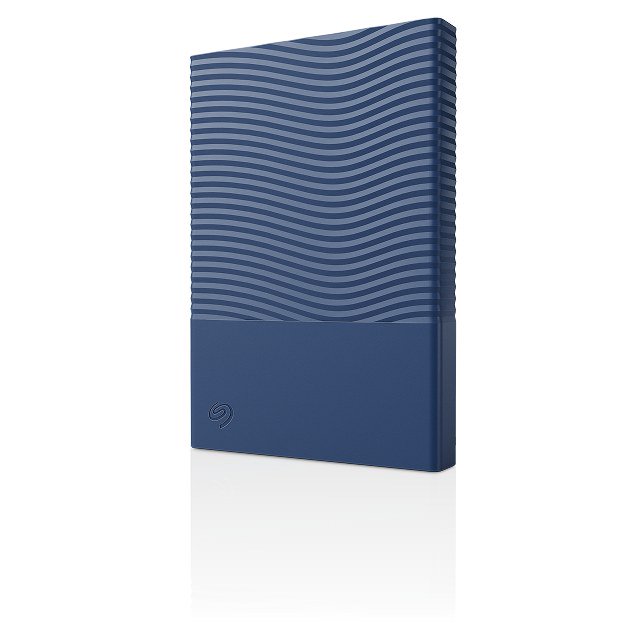
Disclosure: This page may contain affiliate links. They do not influence our editorial conclusions. Read the disclosure.
Our pick
- See price at Seagate
Top pick
Seagate
Seagate is a data storage company that makes hard drives, SSDs and external storage, including the FireCuda gaming line, the Expansion and One Touch external dr...
If you want a pocket-size external hard drive with password protection and backup software, two names come up again and again: the Seagate One Touch portable and the WD My Passport. Both are 2.5-inch, bus-powered portable hard drives aimed at everyday backup, both come in several colors, and both promise encryption. They differ on price, warranty, data recovery coverage, software and how they handle passwords across operating systems.
This comparison uses each manufacturer's own product pages, read on November 13, 2026. It is research-based, not a hands-on speed test, so you won't find invented benchmark numbers here. Prices on both official stores change often; check before you buy.

The short answer
- Choose the Seagate One Touch portable if you want the lower official-store price at 2TB, data recovery service included at no extra cost, a native USB-C cable in the box, and hardware encryption with password protection.
- Choose the WD My Passport if you want a longer standard warranty (three years), more capacity options up to 6TB, Acronis backup software, or a 1TB size that Seagate's One Touch portable doesn't offer.
Side-by-side
| Seagate One Touch portable | WD My Passport | |
|---|---|---|
| Official store price, 2TB | $159.99 (Seagate.com) | $209.99 (WesternDigital.com) |
| Official store price, other sizes | 4TB: $199.99 | 1TB: $184.99 |
| Capacities | 2TB, 4TB | 1TB, 2TB, 4TB, 5TB, 6TB |
| Colors | Dark blue, space gray, white | Black, sky, red, white |
| Security | Built-in password protection with hardware encryption | Password protection and built-in 256-bit AES encryption via included software; password protection listed as Windows only |
| Backup software | Seagate Toolkit (not compatible with ChromeOS) | Acronis True Image for Western Digital |
| Drive-side connector | USB-C (0.5m USB Type-C cable included) | Micro-B |
| Interface / transfer rate | Not stated on the product page | USB 3.2 Gen 1, up to 5Gb/s |
| Standard warranty | 2-year limited | 3-year limited |
| Data recovery | 2-year Rescue Data Recovery Services included | Optional Ontrack Data Recovery Plan: $9.99 (2-year) or $14.99 (3-year) |
| Size and weight | 2TB: 14 x 81 x 117 mm, 156 g (0.343 lb) | 1TB: 4.22 x 2.95 x 0.53 in, 0.31 lb; 4TB: 4.22 x 2.95 x 0.75 in, 0.46 lb |
| Store-exclusive extras | Complimentary trials of Adobe Creative Cloud Pro, Mylio and Synology Deep Search | One extra year of limited warranty when bought on WesternDigital.com (limitations apply) |
Seagate notes that its warranty and Rescue periods "may vary by region," and that Rescue may not be available in all countries.
Price
On the two official stores, the One Touch portable is the cheaper drive at 2TB: $159.99 at Seagate versus $209.99 at Western Digital, a $50 gap. At 4TB, Seagate lists the One Touch at $199.99. We did not capture WD's 4TB price on the day we checked, so we won't compare it.
Two caveats. First, retailer prices for both drives can differ from the manufacturers' own stores. Second, the WD price can include extras you'd otherwise pay for: buying on WesternDigital.com adds an extra year of limited warranty, according to WD.
Security and passwords
Both drives offer encryption, but they describe it differently:
- Seagate says the One Touch portable has "built-in password protection with hardware encryption" that "helps keep personal and work files safe, private and yours."
- WD says you "use our included software to add an extra layer of security with password protection and built-in 256-bit AES encryption," and its feature list describes "password protection + 256-bit AES hardware encryption." Its product description adds that password protection is for Windows only.
If you work mainly on a Mac and want password protection, that Windows-only note on WD's page is worth checking against WD's current support documents before you buy.

Connectivity and size
The two drives connect differently at the drive end. Seagate ships the One Touch portable with a 0.5m USB Type-C cable and describes "USB-C simplicity" for modern devices. WD's spec table lists a Micro-B connector on the drive with a USB 3.2 Gen 1 interface and a transfer rate of up to 5Gb/s, also compatible with USB 3.0 and USB 2.0 ports.
That matters in two ways. If your laptop only has USB-C ports, check which cable comes in the WD box or plan for an adapter. And Micro-B is an older, less common connector, so a spare cable is something to keep in your bag. Seagate does not publish a transfer rate on the One Touch portable page we read, so we can't compare speed on paper.
On size, the two are close. Seagate lists the 2TB One Touch at 14 x 81 x 117 mm and 156 g. WD lists the 1TB My Passport at 4.22 x 2.95 x 0.53 inches and 0.31 lb, and the thicker 4TB model at 0.75 inches and 0.46 lb. Both fit easily in a jacket pocket. WD lists an operating temperature range of 5°C to 35°C.
Backup software
Seagate bundles Toolkit, its own backup and setup software. Seagate states that Toolkit is not compatible with ChromeOS, and that the drive must be reformatted to use it with Apple's Time Machine.
WD bundles Acronis True Image for Western Digital, which WD says makes scheduling backups easier and helps protect against data loss from ransomware attacks.
Both drives also work as plain drag-and-drop storage on Windows and macOS, so you don't have to install either app.
Warranty and data recovery
This is where the two drives make different trade-offs.
Seagate includes a 2-year limited warranty plus 2 years of Rescue Data Recovery Services at no extra cost. Seagate says Rescue means "if the unexpected happens, our team of experts is here to help."
WD includes a longer 3-year limited warranty, and buying from WesternDigital.com adds a fourth year on qualifying products. Data recovery is a paid add-on: WD sells an Ontrack Data Recovery Plan for $9.99 (2 years) or $14.99 (3 years) on the 1TB and 2TB pages we checked. WD says the plan covers one in-lab recovery attempt, and that without a plan, single-drive recoveries at Ontrack's standard service level "can range from ~$1,000 – $2,000." WD also says it refunds the plan price if Ontrack cannot recover data from a covered loss.
In plain terms: a warranty replaces a failed drive, but it doesn't get your files back. Seagate includes recovery coverage. WD charges a small fee for it but gives a longer replacement warranty.
Capacity and colors
WD offers more sizes, from 1TB to 6TB, in black, sky, red and white. Seagate's One Touch portable comes in 2TB and 4TB in dark blue, space gray and white. If you need 5TB or 6TB in one portable drive, WD is the only option of these two. If 1TB is plenty, WD is again the only choice here, although at $184.99 on WD's store, the 2TB One Touch costs less.

Sustainability
WD says the My Passport enclosure contains more than 50% post-consumer recycled plastic, and that its packaging is made of over 50% post-consumer recycled pulp and is fully recyclable. Seagate publishes a Life Cycle Assessment document for the One Touch portable on its product page.
Which should you buy?
| If you... | Choose |
|---|---|
| Want the lowest official-store price at 2TB | Seagate One Touch portable |
| Want data recovery included without paying extra | Seagate One Touch portable |
| Want the longest standard warranty | WD My Passport |
| Need 1TB, 5TB or 6TB | WD My Passport |
| Use Acronis or want ransomware-focused backup software | WD My Passport |
| Use a Chromebook | Either as plain storage; Seagate says its Toolkit app is not compatible with ChromeOS |
If you don't need encryption at all, Seagate's cheaper Expansion portable ($149.99 for 2TB on Seagate.com) is another option. We compare it with the rest of Seagate's lineup in the best Seagate external hard drives. For Seagate's store policies on returns and warranty registration, see the Seagate Store shopping guide.
References
- Seagate, One Touch portable external hard drive: https://www.seagate.com/products/personal-storage-devices/one-touch-portable-external-hard-drive/
- Seagate, Expansion portable external hard drive: https://www.seagate.com/products/personal-storage-devices/expansion-portable-external-hard-drive/
- Western Digital, WD My Passport portable HDD (1TB black): https://www.westerndigital.com/products/portable-drives/wd-my-passport-usb-3-0-hdd?sku=WDBYVG0010BBK-WESN
- Western Digital, WD My Passport portable HDD (2TB black): https://www.westerndigital.com/products/portable-drives/wd-my-passport-usb-3-0-hdd?sku=WDBYVG0020BBK-WESN
Meet your guide
Lipeiguan
author
What to read next
 Google Adds Computer Use to the Gemini App for Mac in the U.S. On November 19, 2026, Google said computer use is available in the Gemini app for Mac, in English in the U.S. Official requirements include an Apple Silicon Mac on macOS Sequoia 15... How to Use Gemini Computer Use on a Mac: Official Requirements, Permissions and Examples Official Google requirements for computer use in the Gemini app for Mac: an Apple Silicon Mac on macOS Sequoia 15.0 or later, a personal Google account for people 18 or older, a Go...
 How to Choose a SwitchBot Lock: Lock Pro vs Lock Ultra vs Lock Vision and Vision Pro A research-based guide to official SwitchBot Lock Pro, Lock Ultra, Lock Vision and Lock Vision Pro specs and November 20, 2026 U.S. prices, including batteries, hubs, keypads, comp...