
AirPods Pro 3 Hearing Aid, Hearing Test and Hearing Protection Explained (2026)
How the AirPods Pro 3 ($249) Hearing Test, FDA-authorized Hearing Aid feature and Hearing Protection work: requirements, setup steps, how to read dBHL results, battery life and limits, from Apple's support documents and the FDA.
Disclosure: This page may contain affiliate links. They do not influence our editorial conclusions. Read the disclosure.
Our pick
- See price at Apple
Top pick
Apple
Maker of iPhone, iPad, Mac, Apple Watch and related services, sold through its online and retail stores.
What this guide covers
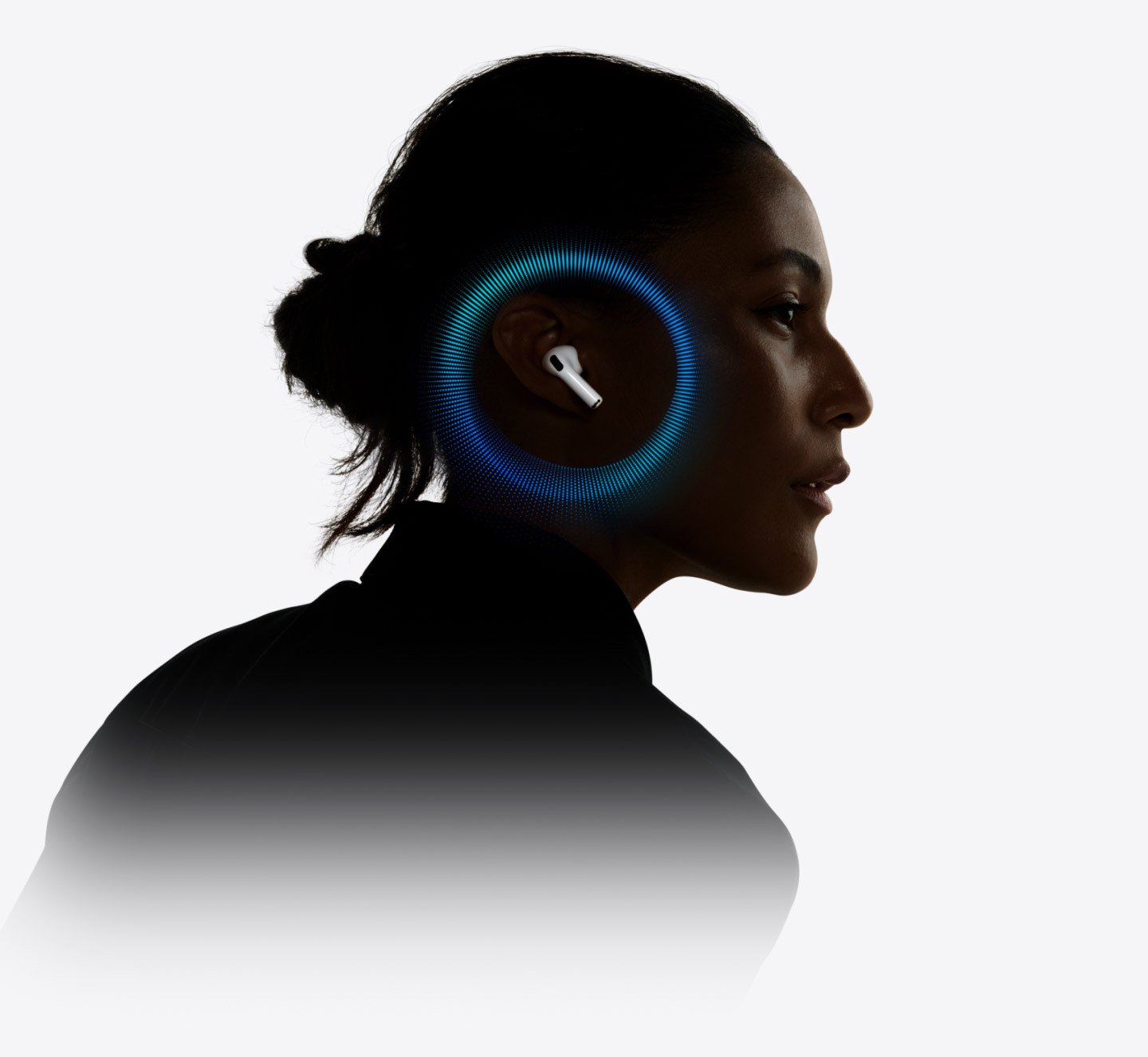
Apple sells AirPods Pro 3 as noise-cancelling earbuds, but the same $249 earbuds also work as an over-the-counter hearing aid, a five-minute hearing screener and active hearing protection for loud places. Those three features are easy to miss because they live in a Hearing Health menu inside the AirPods settings, and some of them have age limits, region limits and firmware requirements.
This guide explains what each feature does, who it is meant for, how to set it up and where its limits are, using Apple's product pages, Apple Support documents and the FDA's authorization announcement as of November 12, 2026. It is a research-based explainer, not a hands-on test, and it is not medical advice. If you notice a sudden change in your hearing, talk to a doctor rather than relying on earbuds.

The short answer
- Hearing Test: a pure-tone hearing screener that takes about five minutes on an iPhone or iPad with AirPods Pro 2 or AirPods Pro 3. It is intended for people 18 and older and saves an audiogram to the Health app.
- Hearing Aid: a software hearing aid authorized by the FDA for adults 18 and older with perceived mild to moderate hearing loss. It amplifies the world around you in Transparency mode, based on your Hearing Test or an audiogram from a hearing professional.
- Hearing Protection: on by default across all three listening modes. Apple says it reduces loud environmental noise in places as loud as 110 dBA, but it is not meant for impulse noise such as gunfire or fireworks.
- Price: AirPods Pro 3 are $249 at the Apple Store. AirPods Pro 2 also support all three features with current firmware, so you do not need to upgrade to get them.
Feature availability varies by country or region, so check Apple's availability list before you buy for these features.
What you need
All three features need AirPods Pro 2 or AirPods Pro 3 running the latest firmware. For the Hearing Test and Hearing Aid you also need a compatible iPhone or iPad on current software. Apple's footnotes say both features are supported with iOS 18 or iPadOS 18 and later, and the Hearing Aid feature also works with a compatible Mac running macOS Sequoia or later.
Hearing Protection on AirPods Pro 3 needs an iPhone, iPad or Mac on the latest operating system. On AirPods Pro 2 it needs iOS 18.1, iPadOS 18.1 or macOS Sequoia 15.1 or later.
A good seal matters for all of this. Apple recommends the Ear Tip Fit Test for AirPods Pro 2 or the Acoustic Seal Test for AirPods Pro 3 before relying on the features. AirPods Pro 3 come with silicone foam ear tips in five sizes, and AirPods Pro 2 come with silicone tips in four sizes.
The Hearing Test: a five-minute screener at home

Apple built the Hearing Test on pure-tone audiometry, the same tone-and-response method used in a standard hearing screening. Active Noise Cancellation and the in-ear seal create the quiet conditions the test needs. Apple says more than 150,000 real-world audiograms and millions of simulations were used to develop it.
How to take it
- Charge your AirPods and find a quiet room. The test plays tones from 250 Hz to 8 kHz, some at very low volume, so fans, air conditioning, traffic and conversation can spoil it.
- Put the AirPods in and connect them to your iPhone or iPad. Go to Settings > [your AirPods], tap Hearing Health if it is shown, then tap Take a Hearing Test. You can also start it from the Health app.
- Follow the prompts. The test checks your fit and the background noise first. If it says the room is too loud or the fit is poor, try a different ear tip size or clean the AirPods.
- Tap the screen whenever you hear a tone. Each tone pulses three times, and it is fine to miss one.
Apple warns that results may be less accurate if you have had a cold, sinus infection or ear infection in the last 24 hours, if you have allergies, or if you were somewhere loud, such as a concert, in the last 24 hours.
How to read the results

You get one number per ear in decibels of hearing level (dBHL). It is an average across the frequencies that matter most for understanding speech, and a higher number means sounds have to be louder for you to hear them. Apple's support document uses these bands:
| Result | Apple's classification |
|---|---|
| Up to 25 dBHL | Little to no hearing loss |
| 26–40 dBHL | Mild loss: you can hear words in a normal voice from about three feet away |
| 41–60 dBHL | Moderate loss: you can hear words in a raised voice from about three feet away |
| 61–80 dBHL | Severe loss: you can hear some words shouted into your ear |
Tap Show Details to see the full audiogram. Results are stored in the Health app under Browse > Hearing, and you can export a PDF to share with a doctor or audiologist. If your results show severe or profound loss, or you notice a sudden change, Apple's advice is to talk to your doctor.
The Hearing Aid feature: what it is and who it is for
On September 12, 2024, the FDA authorized Apple's Hearing Aid Feature as the first over-the-counter hearing aid software device, intended for adults 18 and older with perceived mild to moderate hearing impairment. The FDA said the feature was evaluated in a clinical study of 118 people with perceived mild to moderate hearing loss at several US sites. Participants who fitted it themselves reported similar benefit to those who had a professional fit the same device.
In plain terms, the feature turns AirPods Pro into a hearing aid that boosts the frequencies you have trouble hearing, based on your own hearing profile. It is not designed for severe or profound hearing loss.
How to set it up
- Connect your AirPods, then go to Settings > [your AirPods] > Hearing Health > Hearing Assistance and tap Set Up Hearing Assistance.
- Take the Hearing Test, or tap Use a Prior Test Result to pick an earlier Apple Hearing Test or add an audiogram from your hearing healthcare professional.
- Tap Set Up Hearing Aid and follow the prompts. Depending on your results, you may be offered Media Assist instead.
Apple notes that it can take time to get used to amplified sound, so it suggests making small changes over time. The settings are stored on the AirPods, so the Hearing Aid keeps working with your latest settings even if your iPhone is not nearby.

What you can adjust
Under Hearing Assistance > Adjustments you can change:
- Amplification: how much the AirPods amplify the sound around you. The device volume buttons only change media volume, not amplification.
- Balance between the left and right ear, and Tone, from darker to brighter.
- Ambient Noise Reduction, which reduces steady sounds like fans or road noise.
- Conversation Boost, which focuses on the person talking in front of you. Apple says it works best one-on-one.
You can also change amplification from Control Center on iPhone, iPad, Mac and Apple Watch, or by swiping on the AirPods stem with Swipe to Control Amplification turned on. That gesture only works in Transparency mode when no media is playing.
One detail people miss: the Hearing Aid only amplifies your surroundings in Transparency mode. Media Assist, the companion feature, applies your hearing profile to music, video, phone calls and FaceTime in any noise control mode.
Battery life
Apple quotes up to 10 hours with the Hearing Aid feature on AirPods Pro 3, which it says is 67 percent more than AirPods Pro 2. That figure comes from Apple's own testing with amplification and volume at 50 percent and no audio playing. Real battery life depends on your settings and environment.
Hearing Protection: for loud places, not gunshots

Hearing Protection is on by default in all three listening modes: Noise Cancellation, Transparency and Adaptive. Each mode gives a different amount of protection. Apple says the feature reduces loud sound in environments as loud as 110 dBA, using processing on the H2 chip plus the passive seal of the ear tips. Apple's examples of everyday noise include mowing the lawn at about 90 dBA, a fitness class at about 100 dBA and live events at about 105 dBA.
Apple gives exposure limits based on World Health Organization recommendations. In a 105 dBA environment in Transparency mode, Apple says most users get an exposure limit of 2.5 to 6 hours per seven days with AirPods Pro 2 and 6 to 16 hours per seven days with AirPods Pro 3. The real figure depends on your fit and the noise level.
The limits matter as much as the feature:
- It is not suitable for very loud impulse sounds such as gunfire, fireworks or jackhammers, or for sustained sound louder than 110 dBA.
- A poor fit reduces protection. A whistling sound can mean the AirPods need refitting.
- Clean the AirPods regularly, keep them in their case and don't use the feature if they are damaged.
If you also wear an Apple Watch, the Noise app can show the estimated sound level with and without AirPods.
Is AirPods Pro 3 a good hearing aid gift?
For someone who already uses an iPhone and has noticed mild trouble following conversations, AirPods Pro 3 are a low-friction way to get screened and try amplification. The same earbuds still work for music and calls. For anyone with more significant hearing loss, or anyone who wants an in-person fitting and follow-up care, an audiologist is still the right first stop. Apple's own documentation points people with severe loss or sudden changes to a doctor.
If you are comparing premium earbuds in general, our guide to Bose earbuds covers the main alternatives. If you use Apple's health tools, our explainer on the redesigned Apple Health app and the latest Health app beta news show where your hearing data will appear.
References
- Apple, AirPods Pro 3 Hearing Health page: https://www.apple.com/airpods-pro/hearing-health/
- Apple Support, Take a Hearing Test with AirPods Pro 2 or AirPods Pro 3: https://support.apple.com/en-us/120991
- Apple Support, Use the Hearing Aid feature on your AirPods Pro 2 or AirPods Pro 3: https://support.apple.com/en-us/120992
- Apple Support, Use Hearing Protection with your AirPods Pro 2 or AirPods Pro 3: https://support.apple.com/en-us/120850
- Apple Store, Buy AirPods Pro 3: https://www.apple.com/shop/buy-airpods/airpods-pro-3
- U.S. Food and Drug Administration, FDA Authorizes First Over-the-Counter Hearing Aid Software (September 12, 2024): https://www.fda.gov/news-events/press-announcements/fda-authorizes-first-over-counter-hearing-aid-software
Meet your guide
Lipeiguan
author
What to read next
 Apple TV Will Be the Exclusive U.S. Home of F1 Academy Beginning in 2027 On November 19, 2026, Apple said F1 Academy will stream on Apple TV in the United States beginning in 2027, with every qualifying session and race included for U.S. Apple TV subscr... How to Watch F1 Academy on Apple TV in 2027: Official Calendar and Subscription Note Apple said U.S. Apple TV subscribers will get every F1 Academy qualifying session and race beginning in 2027. This guide records the official seven-round 2027 calendar graphic and...
 Best RayNeo Glasses (2026): Air 3s, Air 4 Pro, GT, GT Max, iO and X3 Pro A research-based 2026 best-of guide to official RayNeo Air, GT, iO and X3 Pro specs and November 20, 2026 U.S. sale prices, with a buyer FAQ on 3DoF, prescription lenses, bundles a...