
Best Bambu Lab 3D Printers (2026): A1 mini vs A1 vs P1S vs P2S vs H2S vs H2D
Bambu Lab's US lineup sorted by buyer: A1 mini and A1 for beginners, P1S and P2S for enclosed printing, H2S for big parts and H2D for dual-nozzle work, with official specs and store prices.
Disclosure: This page may contain affiliate links. They do not influence our editorial conclusions. Read the disclosure.
Our pick
- See price at Bambu Lab
Top pick
Bambu Lab
Consumer desktop 3D-printer maker whose current lineup includes enclosed AMS machines such as the P2S and the nine-tool H3C, sold through bambulab.com and the U...
Bambu Lab now sells six core FDM printer families in its US store, from the $199 A1 mini to the dual-nozzle H2D, plus the tool-changing H2C and H3C at the top. This guide sorts the lineup by who each machine actually suits, using only Bambu Lab's own product pages and spec tables as of November 9, 2026. We have not tested these printers ourselves; everything below comes from official specs, listed prices and Bambu Lab's published compatibility notes.

If you are already leaning toward one brand-store purchase, read our Bambu Lab shopping guide for shipping, returns and warranty details. If you want the newest flagship, see the Bambu Lab H3C review and the H3C launch news.
Quick picks
| Pick | Best for | Build volume (W×D×H) | Enclosed | US store price (Nov 9, 2026) |
|---|---|---|---|---|
| A1 mini | First printer, small desk | 180 × 180 × 180 mm | No | $199 ($299 Combo) |
| A1 | Beginners who want full-size prints | 256 × 256 × 256 mm | No | $259 ($359 Combo) |
| P1S | Lowest-cost enclosed printer | 256 × 256 × 256 mm | Yes | $349 ($479 AMS Combo) |
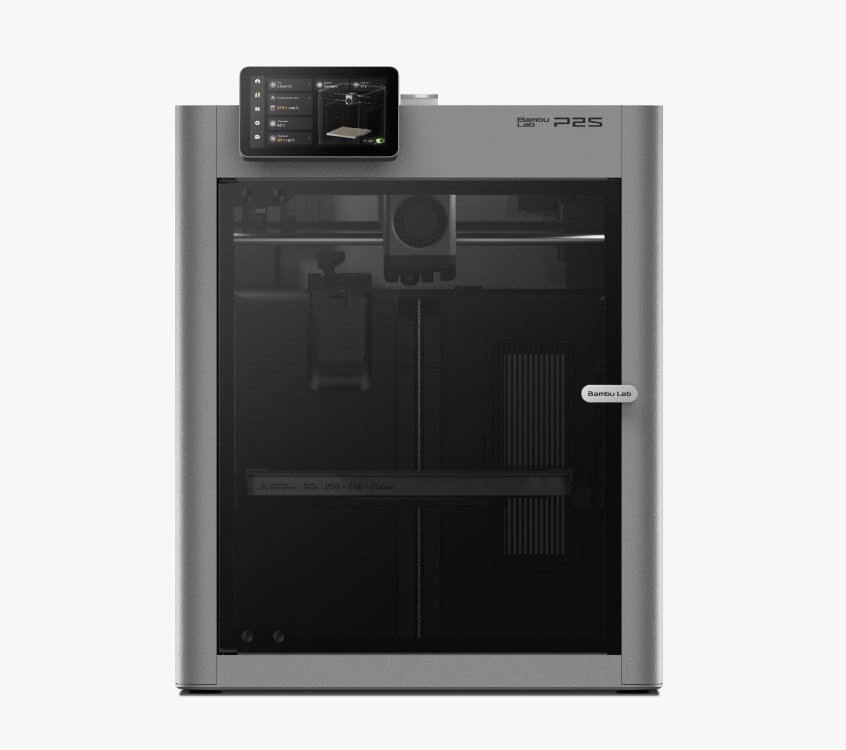
| P2S | Best all-round enclosed pick | 256 × 256 × 256 mm | Yes | $449 ($649 Combo) |
| H2S | Biggest single-nozzle build area | 340 × 320 × 340 mm | Yes, 65°C active heating | $1,049 ($1,249 AMS Combo) |
| H2D | Dual-nozzle multi-material and laser option | 325 × 320 × 325 mm single nozzle | Yes, 65°C active heating | $1,399 ($1,599 AMS Combo) |
Prices are Bambu Lab US store prices on November 9, 2026, shown alongside a higher "Typical Price" on each page. They change often, so check the product page before you buy. Every printer page listed here shows the same store terms: free shipping in the 48 contiguous states, 30-day price protection, 30-day returns and a two-year warranty.
Best first printer: Bambu Lab A1 mini

The A1 mini is the cheapest way into Bambu Lab's ecosystem. Bambu Lab lists the printer at $199 (typical price $219) and the A1 mini Combo, which adds the four-spool AMS lite for multi-color printing, at $299 (typical $329).
Key official specs:
- Build volume of 180 × 180 × 180 mm.
- All-metal hot end that reaches 300°C, with a 0.4 mm stainless steel nozzle included and 0.2, 0.6 and 0.8 mm nozzles available.
- Textured PEI plate included, with a maximum bed temperature of 80°C.
- Toolhead speed up to 500 mm/s and acceleration up to 10,000 mm/s².
- Ideal filaments: PLA, PETG, TPU and PVA.
The limits are equally clear in Bambu Lab's own FAQ. It does not recommend ABS, ASA, PC, PA or PET on the A1 mini, because those filaments need higher bed and chamber temperatures. The small build plate also rules out helmets, large cosplay parts and big storage boxes in one piece.
Choose it if you want a low-cost, low-fuss first printer for PLA models, toys, desk gadgets and simple multi-color prints. Skip it if you already know you want large parts or engineering filaments.
Best full-size beginner printer: Bambu Lab A1
The A1 keeps the A1 mini's open-frame design and beginner focus but grows the build volume to 256 × 256 × 256 mm, which Bambu Lab describes as large enough to print a helmet in one go. The bed reaches 100°C instead of 80°C. Speed (500 mm/s) and acceleration (10,000 mm/s²) match the mini.
Bambu Lab lists the A1 at $259 (typical $299) and the A1 Combo with AMS lite at $359 (typical $399). A "Print with Care" Combo bundle is listed at $406.
Like the mini, the A1 is aimed at PLA, PETG, TPU and PVA. Bambu Lab notes that connecting the full-size AMS, AMS 2 Pro or AMS HT to an A1 requires an AMS Hub accessory. For most A1 owners the bundled AMS lite is the simpler route to multi-color printing.
Choose it if you want the beginner experience of the A1 mini but need full-size parts. It is the better pick for most first-time buyers whose desk has room for it.
Cheapest enclosed option: Bambu Lab P1S
An enclosure matters once you move past PLA and PETG. The P1S is the lowest-priced enclosed printer in Bambu Lab's current US lineup at $349 (typical $399). The P1S AMS Combo is $479 and the P1S AMS 2 Pro Combo is $509.
Official specs show a 256 × 256 × 256 mm build volume, a 300°C hot end, a 100°C bed, toolhead speed up to 500 mm/s and acceleration up to 20 m/s². Bambu Lab lists PLA, PETG, TPU, PVA and PET as ideal filaments and PA, PC, ABS and ASA as "capable", the second category being the main reason to choose an enclosed printer over an A1.
Choose it if you want to print ABS or ASA for functional parts on a budget. The trade-off is that it is an older design than the P2S, so compare both pages before buying.
Best all-rounder: Bambu Lab P2S
The P2S is Bambu Lab's newer enclosed mid-range printer and the one we would shortlist first for most hobbyists who expect to grow. Bambu Lab lists the P2S at $449 (typical $549) and the P2S Combo at $649 (typical $749). According to the "What's in the box" list, the Combo adds an AMS 2 Pro and a filament buffer.
Official product features include a 256 × 256 × 256 mm build volume, a fully enclosed chamber "engineered for the safe and consistent printing of advanced materials", an intuitive touchscreen, AMS-powered multi-color printing and AI-powered error detection.
The AMS 2 Pro in the Combo matters. It adds filament drying up to 65°C to multi-color feeding, which the AMS lite on the A1 bundles does not offer. Bambu Lab notes that drying while the printer is busy, or with more than one AMS 2 Pro unit, can require an official power adapter that is not included in the P2S Combo.
If you are weighing the P2S against a rival enclosed multicolor machine, our ELEGOO Centauri Carbon 2 Combo vs Bambu Lab P2S comparison covers price, specs and warranty side by side.
Choose it if you want one printer that handles PLA today and enclosed engineering filaments later, with drying built into the multi-color system.
Biggest build volume: Bambu Lab H2S

The H2S has the largest print space of any current Bambu Lab printer: 340 × 320 × 340 mm. Bambu Lab says that is 120% larger than the X1 Carbon. It lists the H2S at $1,049 (typical $1,199), the H2S AMS Combo at $1,249 and the H2S Laser Full Combo at $1,599.
Official highlights:
- Toolhead speed up to 1,000 mm/s and acceleration up to 20,000 mm/s².
- A closed-loop servo extruder that Bambu Lab says delivers 67% more extrusion force.
- 350°C nozzle and 65°C active chamber heating.
- Optional 10W or 40W laser and cutting module, which requires self-installation.
- Full filament path AI detection.
One compatibility note from Bambu Lab's FAQ: the H2S does not support the AMS lite. It works with the first-generation AMS, the AMS 2 Pro and the AMS HT. Connecting more than one of them requires a 4-in-1 PTFE adapter.
Choose it if you regularly print large single parts such as cosplay armor, large enclosures or furniture fittings, and want the heated chamber for high-temperature materials.
Best for multi-material and laser work: Bambu Lab H2D

The H2D adds a second nozzle. Bambu Lab's spec table lists a 325 × 320 × 325 mm build volume for single-nozzle printing and 300 × 320 × 325 mm when both nozzles are used. The machine pairs a 350°C hardened steel nozzle with 65°C active chamber heating, and Bambu Lab says its high-flow hotend prints consistently at 600 mm/s.
Pricing on the US store starts at $1,399 for the standard H2D (typical $1,549). The H2D AMS Combo is $1,599, a version bundled with an AMS HT is $1,699, and the Laser Full Combo is $1,949 with the 10W laser or $2,399 with the 40W laser. Like the H2S, the H2D does not support the AMS lite.
Choose it if you want two materials in one print, such as a part with a dissolvable or breakaway support material, or you want a laser cutter and engraver in the same enclosure.
Above the H2D: H2C and H3C
Bambu Lab's tool-changing printers sit above the H2D. The H2C is listed from $1,899 for the AMS Combo, with a 330 × 320 × 325 mm build volume and a system that can house up to six replaceable hotends. The new H3C nine-tool printer is listed from $2,499 for the H3C Combo. They suit heavy multi-material users; most buyers are better served by a P2S or H2D. Our H3C vs P2S comparison walks through that trade-off.
How to choose between them
Start with materials. If you will only print PLA, PETG and TPU, an open-frame A1 or A1 mini is enough. If ABS, ASA, PC or nylon are on your list, go enclosed with the P1S, P2S or one of the H2 models. Bambu Lab's own A1 mini FAQ steers those filaments away from its open-frame printers.
Then size. The 256 mm cube on the A1, P1S and P2S covers most household and hobby prints. The A1 mini's 180 mm cube is fine for small parts. The H2S's 340 × 320 × 340 mm space is for people who already know they print big.
Then multi-color. The A1 family pairs with the AMS lite. The P2S Combo ships with the AMS 2 Pro, which adds drying. The H2 series does not support the AMS lite at all, so budget for an AMS 2 Pro or AMS HT if you buy an H2 printer without a combo.
Finally, budget for extras. Filament, spare nozzles and build plates add up. Some multi-AMS setups also require accessories that are sold separately, including the AMS Hub, a 4-in-1 PTFE adapter or an external power adapter for drying.
Buyer's FAQ
Which Bambu Lab printer is best for beginners? Based on Bambu Lab's positioning and specs, the A1 for most people and the A1 mini if space or budget is tight. Both are sold as beginner printers with full auto calibration.
Do Bambu Lab printers come with a warranty? Each printer page in Bambu Lab's US store lists a two-year warranty, 30-day returns and 30-day price protection. Our shopping guide explains the details.
Can every printer use the AMS lite? No. The AMS lite page says it works with A1 and A2 series printers and is not compatible with X, P or H2 series printers.
References
- Bambu Lab US Store. "Bambu Lab A1 mini" product page and tech specs. https://us.store.bambulab.com/products/a1-mini (accessed November 9, 2026).
- Bambu Lab US Store. "Bambu Lab A1" product page and specs. https://us.store.bambulab.com/products/a1 (accessed November 9, 2026).
- Bambu Lab US Store. "Bambu Lab P1S" product page and parameters. https://us.store.bambulab.com/products/p1s (accessed November 9, 2026).
- Bambu Lab US Store. "Bambu Lab P2S" product page. https://us.store.bambulab.com/products/p2s (accessed November 9, 2026).
- Bambu Lab US Store. "Bambu Lab H2S" product page and FAQ. https://us.store.bambulab.com/products/h2s (accessed November 9, 2026).
- Bambu Lab US Store. "Bambu Lab H2D" product page and specs. https://us.store.bambulab.com/products/h2d (accessed November 9, 2026).
- Bambu Lab US Store. "Bambu Lab H2C" product page. https://us.store.bambulab.com/products/h2c (accessed November 9, 2026).
- Bambu Lab US Store. "Bambu Lab H3C" product page. https://us.store.bambulab.com/products/h3c (accessed November 9, 2026).
- Bambu Lab US Store. "AMS lite" product page. https://us.store.bambulab.com/products/ams-lite (accessed November 9, 2026).
Meet your guide
Lipeiguan
author
What to read next
 Best Makera CNC Machines (2026): Z1, Carvera Air, A1S and Carvera A research-based 2026 guide to official Makera Z1, Z1 Pro, Carvera Air, A1S and Carvera desktop CNC specs and November 20, 2026 U.S. prices, including work areas, tool changers, in...
 Makera A1S vs TwoTrees ED1: 600W Desktop CNC Specs, Pre-Order Prices and Shipping Compared A research-based comparison of official Makera A1S and TwoTrees ED1 600W enclosed desktop CNC specifications, November 20, 2026 pre-order prices, work areas, tool changers, and shi...
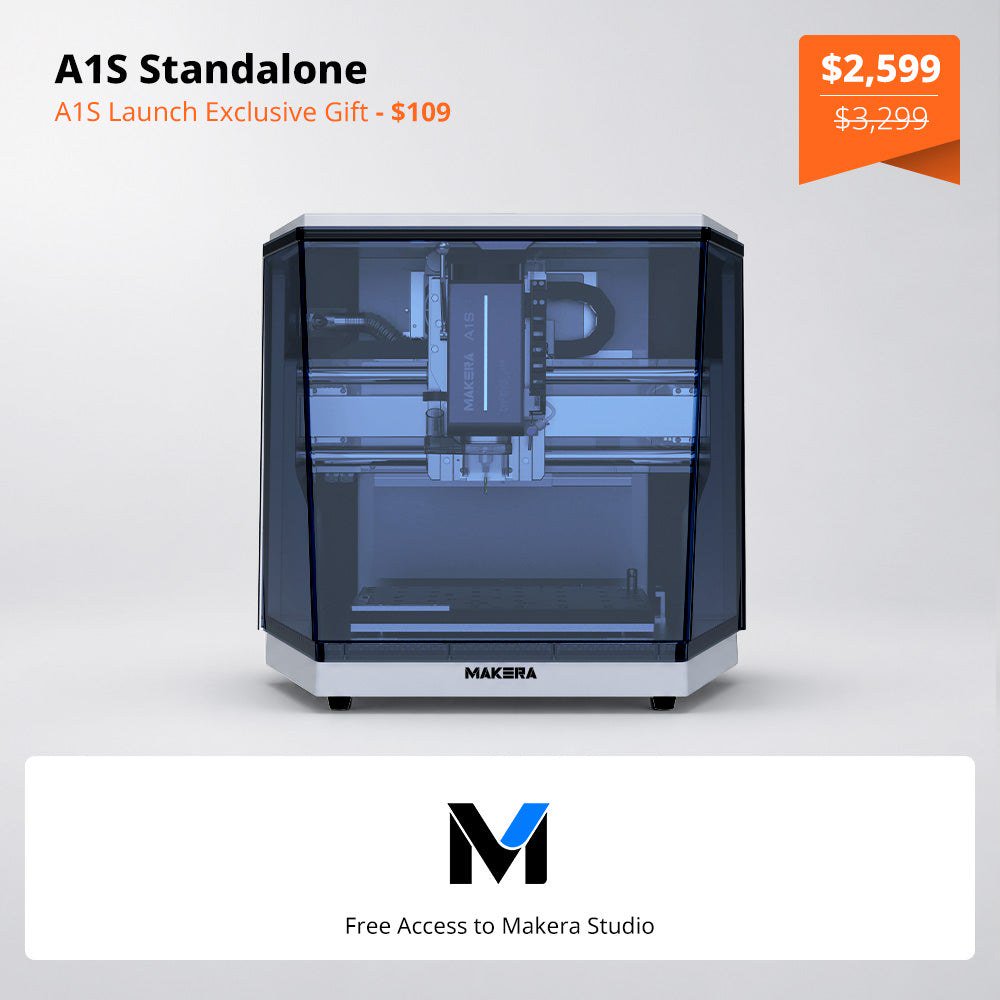 Makera Opens Official U.S. A1S Pre-Orders at $2,599, or $3,499 for the ATC Model Makera opened official A1S pre-orders on November 18, 2026. On November 20, the U.S. product page listed the standalone A1S at $2,599 (was $3,299) and the A1S ATC at $3,499 (was $4...