
Nintendo Switch 2 FAQ: Game-Key Cards, microSD Express, Virtual Game Cards and GameChat
Answers to the Nintendo Switch 2 questions buyers ask most: what game-key cards are, why old microSD cards won't hold games, how virtual game cards and lending work, backward compatibility, GameChat requirements and 4K/120 fps support, from Nintendo's own FAQ and specs.
Disclosure: This page may contain affiliate links. They do not influence our editorial conclusions. Read the disclosure.
Our pick
- See price at Nintendo
Top pick
Nintendo
Nintendo is the Japanese video game company behind the Nintendo Switch 2 and Nintendo Switch consoles, Nintendo Switch Online and franchises such as Super Mario...
What this guide covers
The Nintendo Switch 2 changed more than its screen and processor. It introduced game-key cards, a new memory card format, virtual game cards, built-in voice chat and a few compatibility catches that trip up first-time buyers and upgraders. This FAQ answers the questions people most often ask before buying, using Nintendo's own FAQ, specification and support pages as of November 13, 2026.
It is a research-based guide, not a hands-on test. Where Nintendo has not published an answer, we say so rather than guess.

Buying basics
How much does the Nintendo Switch 2 cost?
On the Nintendo Store, the Nintendo Switch 2 System has a regular price of $499.99. Nintendo also lists two bundles: Nintendo Switch 2 + Mario Kart World at $549.99 MSRP and Nintendo Switch 2 + Nintendo Switch Sports Resort at $529.99 MSRP. Both bundles include a full game download and a 3-month Nintendo Switch Online individual membership that auto-renews at the then-current price unless you cancel. When we checked on November 13, 2026, the standalone system showed "Currently unavailable" on Nintendo's own store, with a link to find retailers.
What comes in the box?
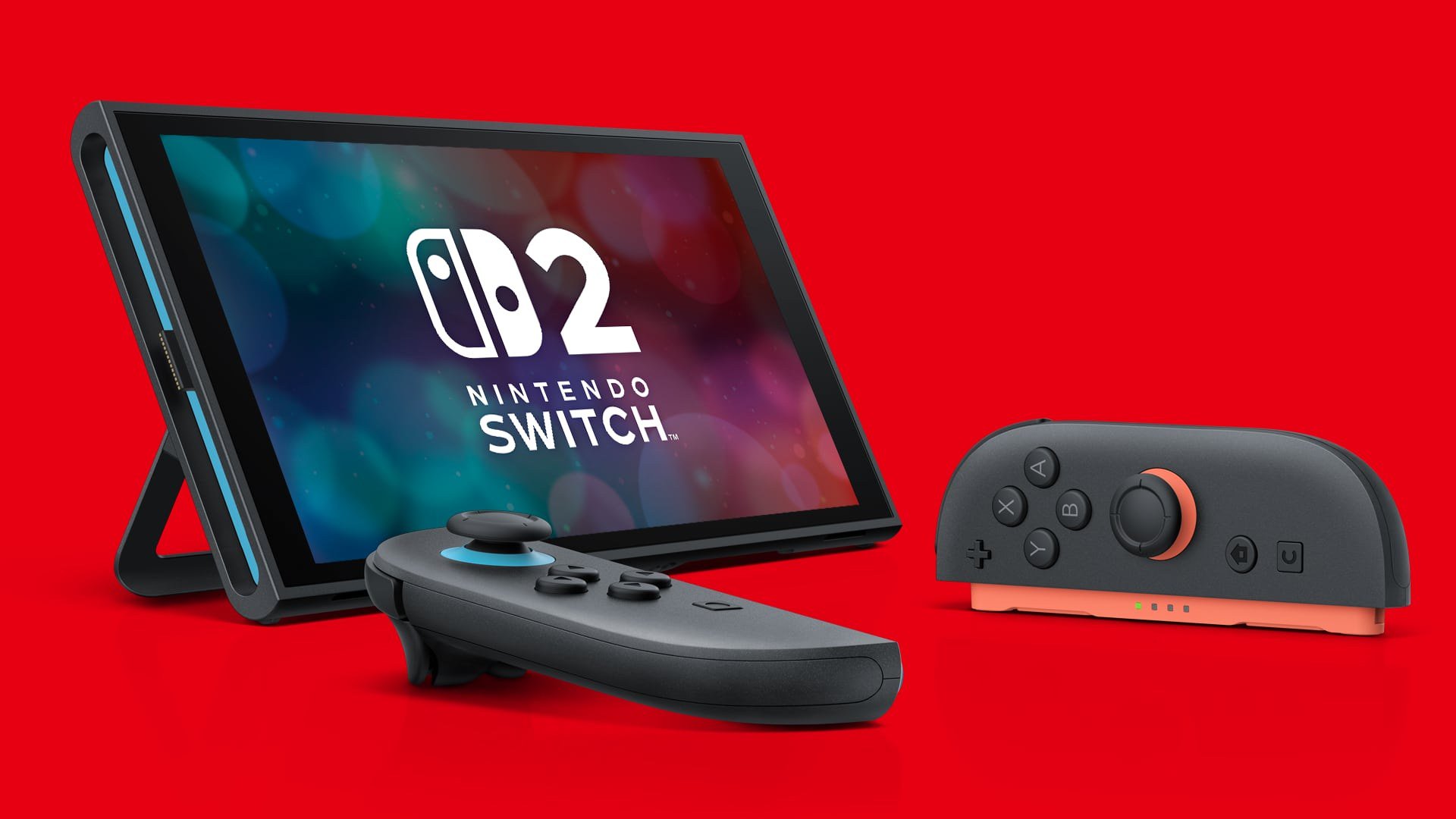
The console, Joy-Con 2 (L) in light blue and Joy-Con 2 (R) in light red, the Switch 2 AC adapter, a USB-C charging cable, the Switch 2 dock, a Joy-Con 2 grip, two Joy-Con 2 straps and an Ultra High Speed HDMI cable. Games are sold separately.
Should I buy a Switch 2 or a Switch OLED?
It depends on which games you want, how you play and your budget. We cover that decision in detail in Nintendo Switch 2 vs Switch OLED. In short: Switch 2-exclusive games only run on Switch 2, while the OLED Model costs $100 less and has a longer battery estimate.
Game cards and game-key cards
What is a game-key card?
Nintendo describes a game-key card as a game card that "does not contain any game data, but only includes the 'key' required to start the game." The first time you play, the game data downloads over the internet. After that, you still need to insert the game-key card every time you want to play, just like a normal game card.
Do I need a Nintendo Account or internet to use a game-key card?
You need an internet connection for the first download on each system, plus enough free space in internal storage or on a microSD Express card. The required space is printed on the packaging. According to Nintendo's FAQ, a Nintendo Account is not required to download the game data. You can check free space under System Settings, then Data Management.
Can I take a game-key card to a friend's Switch 2?
Yes. Nintendo says a game-key card works in any system, but the first launch on that system again requires an internet connection and a download to that console's storage. Save data stays on the system where you played.
What is on a Nintendo Switch 2 Edition game card?
Physical Nintendo Switch 2 Edition games put the Nintendo Switch game and its upgrade pack on the same card. Nintendo notes that some publishers may instead sell Switch 2 Edition games as download codes in a box with no game card. If you put a Switch 2 Edition card into an original Switch, the Switch version runs without the Switch 2 Edition extras. A Switch 2-exclusive game card will not run on an original Switch at all.
Storage and microSD Express
How much storage does Switch 2 have?
256 GB of UFS internal storage, part of which is reserved for the system.
Can I use my old microSD card?
Not for games. The Switch 2 card slot accepts microSD Express cards only, up to 2 TB. Nintendo says standard microSD cards can only be used to copy screenshots and videos from a Nintendo Switch. Nintendo UK's support pages add that a system update must be installed before microSD Express cards can be used. The Nintendo Store lists a Samsung microSD Express Card – 256GB for Nintendo Switch 2 at $59.99.

Digital games and virtual game cards
What are virtual game cards?
Virtual game cards are how the Switch 2 manages digital games. You can load a digital game's virtual card on up to two paired systems on the same Nintendo Account, and you can lend a game to a member of your Nintendo Account family group for 14 days. All users on a system can play a virtual game card loaded on it.
Can I get a lent game back early?
Yes, if the system you lent to is online and not currently playing the game, you can take it back from the lending system. The borrower can also return it before the 14 days are up.
Does DLC come with a virtual game card?
For digital games, DLC is managed together with the main game's virtual card. For physical games, DLC is its own virtual game card and still needs the main game to play.
Can I play digital games on three or more consoles?
Not with virtual game cards, which are limited to two paired systems. Nintendo's FAQ points to the online license setting instead: it lets you play on three or more systems, but it needs an internet connection when the game opens, works only for users linked to the purchasing account, and suspends the game if you stay offline for a while. Neither method lets you run the same game on two systems at the same time.
Do virtual game cards work between Switch 2 and an original Switch?
Yes, but only for Nintendo Switch games. Switch 2-exclusive games cannot be lent or loaded to an original Switch.
Backward compatibility and accessories
Will my Nintendo Switch games work on Switch 2?
Most will. Nintendo says Switch 2 "can play compatible physical and digital games released on the Nintendo Switch system," but some "may not be supported on or fully compatible." Each game's page on Nintendo's site and in Nintendo eShop shows its Switch 2 compatibility status, and Nintendo publishes lists of titles with known issues. If a game shows the error "This Software Can't Be Played," Nintendo's support page says that title is not compatible with Switch 2.
Do my old Joy-Con and accessories work?
Nintendo says select Switch accessories continue to work on Switch 2. Some games need original Joy-Con: Joy-Con 2 lack the IR Motion Camera, cannot attach to Ring Fit Adventure's Ring-Con, and don't fit the Switch Sports leg strap. You can connect original Joy-Con wirelessly to a Switch 2 for those games.
What about GameCube controllers?
The new wireless Nintendo GameCube Controller is designed for the Nintendo GameCube – Nintendo Classics collection, works only on Switch 2, and may have issues in other games because it lacks some buttons. Older GameCube controllers work through a GameCube controller adapter plugged into a USB port on the Switch 2 dock in TV mode.
For full-size controller options, see EasySMX S10 Lite vs Switch 2 Pro Controller vs 8BitDo Ultimate 2C.
GameChat, cameras and privacy
What do I need for GameChat?
A Nintendo Switch Online membership and text-message verification using the phone number on your Nintendo Account. Voice chat works with up to 12 people using the console's built-in microphone. Video chat and screen sharing work with up to four people and need a compatible USB camera.

Can kids use GameChat?
Players under 16 and supervised users need a parent or guardian to allow GameChat in the Nintendo Switch Parental Controls app for each session, and they can only chat with approved friends. Video chat needs separate permission, and parents can view chat history or restrict video.
Is the microphone always listening?
Nintendo says no. The Switch 2 has no system-level voice commands, and the microphone is generally active only when you enable it, such as in GameChat or a game's voice feature. The Nintendo Switch 2 Camera has a green status light and a built-in privacy shutter.
Does Nintendo record GameChat?
Nintendo says it reviews recordings only after a GameChat report. Otherwise recordings stay on the device and are not sent to Nintendo.
Screen and TV features
Does Switch 2 really do 4K and 120 fps?
In TV mode, the dock outputs up to 4K at 60 fps, and 120 fps when 1080p or 1440p is selected, in compatible games with a compatible TV. Handheld and tabletop modes run up to 1080p on the 7.9-inch screen. HDR10 support depends on the game and screen.
Does it support VRR?
Yes, in handheld, tabletop and TV modes for compatible games. Nintendo's FAQ notes that VRR in TV mode was added by a system update released on September 10, 2026, and needs a compatible TV.
How long does the battery last?
Nintendo estimates approximately 2 to 6.5 hours depending on the game, with about 3 hours to charge in sleep mode.
Before you buy: a quick checklist
- Check the compatibility status of the Switch games you care about.
- Budget for a microSD Express card if you plan to buy many digital games.
- Keep your original Joy-Con if you play Ring Fit Adventure or IR Motion Camera games.
- Decide whether you need Switch Online for GameChat and online play.
- Secure your account sign-in; see how to set a Nintendo Account password or passkey.
- Compare shipping and returns in our Nintendo Store shopping guide.
References
- Nintendo, Nintendo Switch 2 FAQ: https://www.nintendo.com/us/gaming-systems/switch-2/faq/
- Nintendo, Nintendo Switch 2 technical specs: https://www.nintendo.com/us/gaming-systems/switch-2/tech-specs/
- Nintendo Store, Nintendo Switch 2 System product page: https://www.nintendo.com/us/store/products/nintendo-switch-2-system-123669/
- Nintendo Store, Hardware listing: https://www.nintendo.com/us/store/hardware/
- Nintendo, Nintendo Switch game compatibility with Nintendo Switch 2: https://www.nintendo.com/us/gaming-systems/switch-2/transfer-guide/compatible-games/
- Nintendo Support, Error Message: "This Software Can't Be Played.": https://en-americas-support.nintendo.com/app/answers/detail/a_id/68410/
- Nintendo UK Support, General Tips for Using Nintendo Switch 2: https://www.nintendo.com/en-gb/Support/Nintendo-Switch-2/General-Tips-for-Using-Nintendo-Switch-2-2843789.html
Meet your guide
Lipeiguan
author
What to read next
 Google Adds Computer Use to the Gemini App for Mac in the U.S. On November 19, 2026, Google said computer use is available in the Gemini app for Mac, in English in the U.S. Official requirements include an Apple Silicon Mac on macOS Sequoia 15... How to Use Gemini Computer Use on a Mac: Official Requirements, Permissions and Examples Official Google requirements for computer use in the Gemini app for Mac: an Apple Silicon Mac on macOS Sequoia 15.0 or later, a personal Google account for people 18 or older, a Go...
 How to Choose a SwitchBot Lock: Lock Pro vs Lock Ultra vs Lock Vision and Vision Pro A research-based guide to official SwitchBot Lock Pro, Lock Ultra, Lock Vision and Lock Vision Pro specs and November 20, 2026 U.S. prices, including batteries, hubs, keypads, comp...