
Seagate SkyHawk vs WD Purple: Which Security Camera Hard Drive to Buy
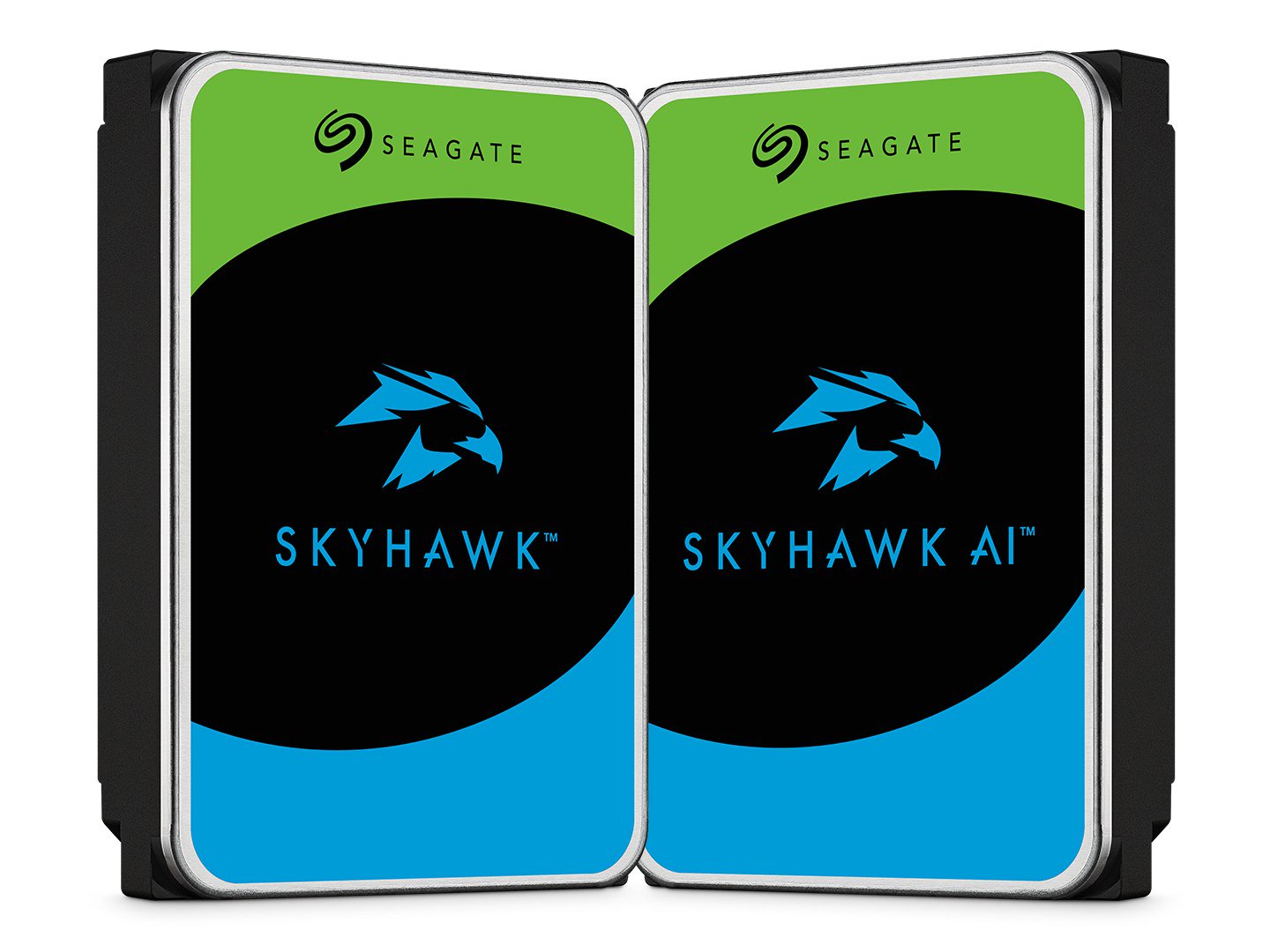
Seagate SkyHawk and WD Purple are both 24/7 surveillance hard drives rated for 64 HD cameras and 180TB a year. We compare specs, brand-store prices at 4TB to 8TB, bundled data recovery and the SkyHawk AI vs WD Purple Pro step-up tier.
Disclosure: This page may contain affiliate links. They do not influence our editorial conclusions. Read the disclosure.
Our pick
- See price at Seagate
Top pick
Seagate
Seagate is a data storage company that makes hard drives, SSDs and external storage, including the FireCuda gaming line, the Expansion and One Touch external dr...
If you are adding storage to a home or small-business security system, the two drive families you will see most often are Seagate SkyHawk and WD Purple. Both are 3.5-inch SATA hard drives made for DVRs and NVRs that record around the clock, and on paper the entry models are closer than their branding suggests. The differences that matter are price per terabyte, the bundled data recovery, capacity ceilings and what each brand offers when you outgrow the standard tier.
This comparison uses Seagate's SkyHawk and SkyHawk AI product pages and Western Digital's WD Purple product page and data notes, all read on November 13, 2026. It is a research-based comparison of published specifications and store prices, not a hands-on test, and we have not measured recording performance ourselves.

Quick answer
For a typical home NVR with a handful of cameras, Seagate SkyHawk and WD Purple are rated for the same job: up to 64 HD cameras, a 180TB-per-year workload and 1 million hours MTBF, with a three-year limited warranty. On the brands' own stores on November 13, SkyHawk was listed for less at the 4TB, 6TB and 8TB sizes, and Seagate bundles a three-year Rescue Data Recovery plan that Western Digital sells separately. WD Purple has the wider choice of small capacities starting at 1TB and was the one actually in stock on its own store at several sizes. For heavier systems with AI analytics, compare SkyHawk AI with WD Purple Pro instead.
Specs side by side
| Seagate SkyHawk | WD Purple | |
|---|---|---|
| Use | DVR and NVR video recording, 24/7 | DVR and NVR video recording, 24/7 |
| Capacities on the product page | 1TB to 8TB | 1TB to 8TB |
| Recording technology | CMR (listed for the 8TB) | CMR |
| HD cameras supported | 1 to 64 | Up to 64 single-stream HD cameras |
| Drive bays | RV sensors on 4TB, 6TB and 8TB for multi-bay systems | Up to 16 drive bays |
| Workload rating | 180TB per year | Up to 180TB per year |
| MTBF | 1 million hours | Up to 1 million hours |
| Drive health tools | SkyHawk Health Management (4TB, 6TB, 8TB) | WDDA (Western Digital Device Analytics) |
| Video features | Video-optimized storage; ImagePerfect AI firmware on SkyHawk AI | AllFrame technology |
| Limited warranty | 3 years | 3 years |
| Data recovery | Three-year Rescue Data Recovery Services included | Optional Ontrack data recovery plan, one-time fee |
Western Digital's camera count assumes a single 3.2 Mbps stream (1080p, H.265, 25 frames per second) for its 2TB and larger models, and a 2.6 Mbps 720p stream for some smaller ones. Your cameras may use more bandwidth, so treat 64 as a ceiling rather than a promise.
Prices on the brand stores
On November 13, 2026, these were the listed prices on each brand's own store. Stock was patchy on both, so check the product pages and authorized retailers before you buy.
| Capacity | Seagate SkyHawk (Seagate Store) | WD Purple (WD Store) |
|---|---|---|
| 1TB | Not priced on the store | $174.99 |
| 2TB | Not priced on the store | $194.99 |
| 3TB | Not priced on the store | $204.99 |
| 4TB | $159.99 (out of stock) | $239.99 |
| 6TB | $214.99 (out of stock) | $319.99 |
| 8TB | $309.99 (out of stock) | $434.99 (not available) |
On list price alone, SkyHawk is cheaper at every size both stores priced: $80 less at 4TB, $105 less at 6TB and $125 less at 8TB. That gap is large enough that you should compare current prices at retailers rather than assume either brand is the budget pick. The Seagate Store also showed a banner for free standard shipping on orders over $199.

Where the two differ
Data recovery
This is the clearest difference. Seagate includes a three-year in-house Rescue Data Recovery Services plan with SkyHawk, though its page notes the service is not available in all countries. If a drive fails, recovering footage from a single failed disk is normally a paid lab job.
Western Digital offers an Ontrack data recovery plan as a paid add-on at checkout. The WD page says the plan covers one in-lab recovery attempt and shipping to and from Ontrack, and that recoveries without a plan under Ontrack's standard service level can range from about $1,000 to $2,000. If your recorded footage has value beyond the current week, include that add-on in the price comparison.
Health monitoring
Both brands build drive-health reporting for compatible recorders. Seagate's SkyHawk Health Management is listed for the 4TB, 6TB and 8TB models. WD's WDDA feeds operational and diagnostic data to the host system so it can flag potential issues. Either tool only helps if your NVR supports it, so check your recorder's compatibility list.
Small capacities and multi-bay recorders
WD Purple has more small-capacity choices on its store, starting at 1TB, which suits an older 1- or 2-camera DVR. Seagate's comparison table lists RV (rotational vibration) sensors only on the 4TB, 6TB and 8TB SkyHawk models, so for a multi-bay recorder choose one of those sizes. WD lists WD Purple as compatible with systems of up to 16 drive bays.
Specs that vary by capacity
Speed and cache differ within each line. WD's 1TB WD Purple, for example, is listed at 5400 RPM with a 64MB cache and transfer rates up to 110MB/s, while the WD FAQ says other models run at 5400 or 5640 RPM. Seagate lists a 256MB cache for the 8TB SkyHawk. For recording video, these numbers matter less than the workload rating and camera count, but check the exact model number if you are matching drives in a RAID array.
How much storage do you need?
Capacity is the decision you will notice every day. As a rough example using WD's own test stream of 3.2 Mbps, one camera recording continuously writes about 34.6GB a day. Eight such cameras would fill roughly 8.3TB in 30 days. Higher-resolution cameras, higher frame rates and H.264 instead of H.265 all push that up, while motion-only recording pushes it down. Look up the bitrate your recorder actually uses and multiply from there.
That arithmetic is why many owners skip the smallest drives. If you want more than a few weeks of continuous footage from several 4K cameras, you will likely outgrow 8TB, which is the top of both standard lines.
Stepping up: SkyHawk AI vs WD Purple Pro
Both brands keep a higher tier for larger recorders and video analytics.

Seagate SkyHawk AI comes in 8TB to 32TB, supports up to 64 HD cameras plus 32 AI streams, carries a 550TB-per-year workload rating and 2.5 million hours MTBF, and has a five-year limited warranty with three years of Rescue Data Recovery. Seagate says it works with platforms such as Hikvision, Dahua and QNAP. On November 13 the Seagate Store listed it at $399.99 for 10TB, $479.99 for 12TB and $879.99 for 20TB (all out of stock), and $1,029 for 24TB (in stock).
WD Purple Pro is, per Western Digital's FAQ, a 7200 RPM CMR drive for heavy AI analytics with a workload rating of up to 550TB per year and a five-year warranty. The WD Store listed it from $464.99.
If your NVR runs object detection or face recognition on the recorder itself, or you need more than 8TB per bay, this tier is the fairer comparison.
Which should you buy?
- Choose Seagate SkyHawk if you want the lower list price at 4TB to 8TB and bundled three-year data recovery, and you can find it in stock.
- Choose WD Purple if you need a 1TB to 3TB drive for a small DVR, want to buy direct from the brand store today, or already run WD drives in the same recorder.
- Choose SkyHawk AI or WD Purple Pro for more than 8TB, analytics workloads or larger multi-bay systems.
Whichever you pick, buy the drive before the cameras outgrow it, and check that your recorder lists the model as supported.
Related reading
- Which Google Nest Cam to buy, for cloud-recording cameras that don't need a local drive
- Nest Doorbell Wired vs Battery
- Best Seagate external hard drives, for backups off the recorder
- Seagate Store shopping guide, covering returns, shipping and warranty claims
References
Meet your guide
Lipeiguan
author
What to read next
 Google Adds Computer Use to the Gemini App for Mac in the U.S. On November 19, 2026, Google said computer use is available in the Gemini app for Mac, in English in the U.S. Official requirements include an Apple Silicon Mac on macOS Sequoia 15... How to Use Gemini Computer Use on a Mac: Official Requirements, Permissions and Examples Official Google requirements for computer use in the Gemini app for Mac: an Apple Silicon Mac on macOS Sequoia 15.0 or later, a personal Google account for people 18 or older, a Go...
 How to Choose a SwitchBot Lock: Lock Pro vs Lock Ultra vs Lock Vision and Vision Pro A research-based guide to official SwitchBot Lock Pro, Lock Ultra, Lock Vision and Lock Vision Pro specs and November 20, 2026 U.S. prices, including batteries, hubs, keypads, comp...