
Gemini Comes to Apple CarPlay With Hands-Free Gemini Live Conversations
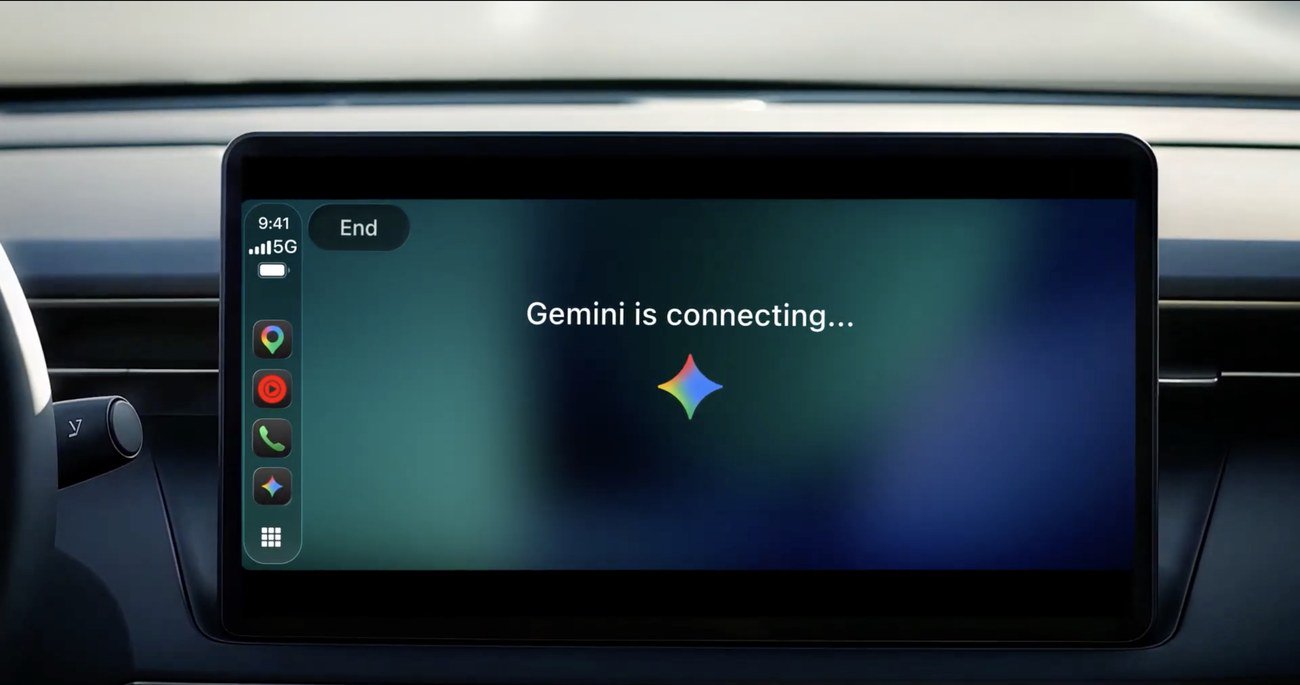
Google began rolling out the Gemini app on Apple CarPlay on November 11, 2026, bringing hands-free Gemini Live chats, inbox catch-ups and calendar help to iPhone drivers worldwide.
Disclosure: This page may contain affiliate links. They do not influence our editorial conclusions. Read the disclosure.
Key facts
- Announced
- November 11, 2026
- Availability
- Rolling out globally to Gemini users on iOS, all Gemini Live languages
- Cost
- Gemini app is free; paid Google AI plans optional
- Requirements
- Latest Gemini app (iOS 18.2+), microphone access, Gemini Live used once on the phone
- Limits
- Daily brief not for under-18s or in the EEA and Nigeria
Google is bringing the Gemini app to Apple CarPlay. In a November 11, 2026 post, Google said iPhone owners can now hold hands-free Gemini Live conversations from their car's display, and that the feature is rolling out globally from that day to all Gemini users on iOS in every language Gemini Live supports.

What Gemini does on CarPlay
Gemini on CarPlay is built around Gemini Live, Google's voice conversation mode. You tap the Gemini icon on the CarPlay screen or side rail, then either pick up a recent chat or start a new one. Google says you can talk at your own pace, interrupt to add a detail, change the subject or pause when you need to focus on the road.
Google's examples fall into four groups:
- Planning the day: ask what is on your calendar, when you need to leave for your next appointment, or help preparing for a meeting.
- Email: because Gemini connects to Google apps such as Gmail and Google Calendar, you can ask for a daily brief, catch up on unread email, get summaries of long threads and talk through a quick reply.
- Local places: ask for a quick lunch spot near where you are heading or the story behind a landmark.
- Thinking out loud: rehearse a presentation, prepare for a hard conversation or have a topic explained.
Conversations sync to the Gemini app on your iPhone, so notes and summaries from the drive are in your chat history once you park.

How to get it
Google lists three steps before the first drive: update the Gemini app on your iPhone to the latest version, allow microphone access, and use Gemini Live on the phone at least once. After that, connect the iPhone to the car and tap the Gemini icon. The App Store listing says the Gemini app is free with in-app purchases and needs iOS 18.2 or later.
There are limits. The daily brief must be switched on first, and Google says some personalization features, including the daily brief, are not available to users under 18 or in the European Economic Area and Nigeria.
Context
CarPlay follows Google's earlier rollout of Gemini on Android Auto and in cars with Google built-in. In October 2026 Google also began adding Personal Intelligence on Android Auto, which can draw on Gmail, Calendar, Photos, Maps, YouTube and Search when users turn it on. Google's CarPlay post does not mention Personal Intelligence.
Who it suits
The update matters most to iPhone owners who already use Gemini with Gmail and Google Calendar and have long commutes. Drivers who mainly want music, calls and directions already have those through Siri and CarPlay.
For setup steps, example prompts and privacy settings, see our guide on how to use Gemini on Apple CarPlay. Shopping for Google hardware this season? Our Google Store shopping guide covers returns, price match and trade-in.
References
- Google, "Talk it through with Gemini, now on Apple CarPlay," Nov 11, 2026: https://blog.google/innovation-and-ai/products/gemini-app/gemini-on-apple-carplay/
- Google, "Get hands-free personalized help on the road with Gemini," Oct 20, 2026: https://blog.google/products-and-platforms/platforms/android/android-auto-cars-with-google-built-in-gemini-personal-intelligence/
- Apple App Store, Google Gemini app listing: https://apps.apple.com/us/app/google-gemini/id6477489729
Update
Where to go next
Meet your guide
SurfGirl
author
What to read next
 Google Adds Computer Use to the Gemini App for Mac in the U.S. On November 19, 2026, Google said computer use is available in the Gemini app for Mac, in English in the U.S. Official requirements include an Apple Silicon Mac on macOS Sequoia 15... How to Use Gemini Computer Use on a Mac: Official Requirements, Permissions and Examples Official Google requirements for computer use in the Gemini app for Mac: an Apple Silicon Mac on macOS Sequoia 15.0 or later, a personal Google account for people 18 or older, a Go...
 How to Choose a SwitchBot Lock: Lock Pro vs Lock Ultra vs Lock Vision and Vision Pro A research-based guide to official SwitchBot Lock Pro, Lock Ultra, Lock Vision and Lock Vision Pro specs and November 20, 2026 U.S. prices, including batteries, hubs, keypads, comp...