
CleanMyMac Review 2026: Features, Pricing, Editions and Who It Suits
A research-based look at MacPaw's CleanMyMac: its cleanup, protection and performance modules, 2026 additions like Email Cleanup and Browser Care, edition differences, pricing, refunds, strengths and limits.
Disclosure: This page may contain affiliate links. They do not influence our editorial conclusions. Read the disclosure.
Our pick
- See price at MacPaw
Top pick
MacPaw
MacPaw is a Mac software company founded in Kyiv, Ukraine, best known for CleanMyMac, its Mac cleaning, protection and maintenance app, along with apps such as...
Our verdict
Based on MacPaw's published features, pricing and policies, CleanMyMac is a broad, actively updated Mac maintenance app that suits people who want one tool for cleanup and upkeep, best bought from the MacPaw Store or Setapp because the App Store edition lacks several system tools.
CleanMyMac is the best-known product from MacPaw, a software company founded in Kyiv, Ukraine, with offices in Boston and across the EU. It bundles junk cleanup, malware removal, performance tools, an app uninstaller and updater, storage visualization and, since autumn 2026, Gmail and Chrome cleanup into one app. This review is research-based. It draws on MacPaw's product pages, store listing, support documentation, release notes and press materials rather than on our own testing, and it focuses on what the app offers, what it costs and who it suits.

What CleanMyMac does
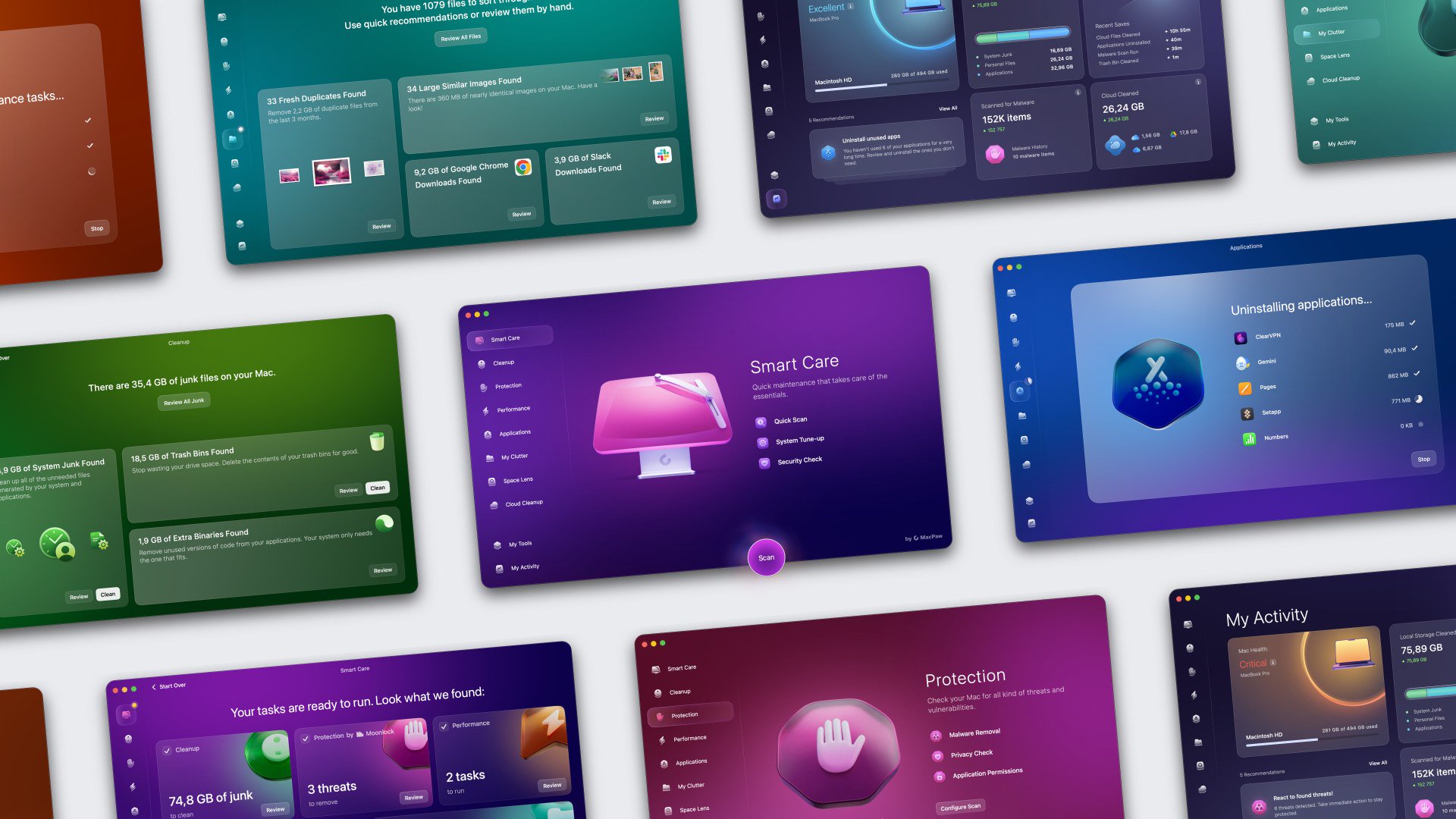
MacPaw describes CleanMyMac as an all-in-one Mac cleaner and maintenance app. Its main modules are:
- Smart Care. A one-click routine that MacPaw says runs five tasks: deep cleaning, scanning for threats, boosting performance, running software updates and decluttering storage.
- Cleanup. Finds system junk, such as caches, logs, language files and Xcode junk, plus mail attachments and trash bins.
- Protection. Malware removal, plus privacy cleanup for browsers, recent items lists and application permissions.
- Performance. Maintenance tasks such as flushing the DNS cache and freeing up purgeable space, plus login and background item management.
- Applications. A complete uninstaller that removes leftover files, plus an updater for installed apps.
- My Clutter. Finds duplicates, similar photos and large or forgotten files.
- Space Lens. A visual map of what takes up space on your drive.
- Cloud Cleanup. Shows large files in your cloud storage and redundant local copies of cloud files.

What changed in 2026
MacPaw's release notes show steady additions this year:
- My Activity (version 5.4.0, February 2026): a dashboard that tracks how you keep your Mac clean and protected.
- My Tools (5.5.0, April 2026): pin the tools you use most and run them without a full scan.
- Notification Center (5.6.0, August 2026): a hub for app updates and messages.
- Email Cleanup (5.7.0, September 2026): scan a Gmail inbox for newsletters, promotions, spam and old drafts, then unsubscribe, archive or delete.
- Screen Cleaning Mode (5.7.1, October 2026): locks the keyboard and trackpad for two minutes while you wipe the screen.
- Browser Care (5.7.2, October 2026): a Chrome extension that shows which tabs use the most memory and CPU and lets you pause, close or de-duplicate them.
On November 5, 2026, MacPaw formally announced Email Cleanup and Browser Care, saying both come at no extra cost with an active CleanMyMac subscription. The latest version listed on the release notes page when we checked was 5.7.4 (November 6, 2026).
Safety and privacy
Cleaning tools need deep access to your Mac, so trust matters. CleanMyMac's product page says the app is notarized by Apple. MacPaw's support site explains why the app asks for Full Disk Access and why it runs background items, such as a Health Monitor that supports malware protection and an updater that installs CleanMyMac updates automatically. If you are uneasy about granting broad access, read those pages during the trial before you decide.
For the new email and browser tools, MacPaw's statements are specific. Its support page says Email Cleanup analyzes email metadata, not message content. The press release says Email Cleanup connects through standard Google sign-in, that permissions can be disconnected in the app at any time, and that CleanMyMac never shares personal email contents. For Browser Care, page content, titles and browsing history stay on the Mac. Both tools ask for confirmation before acting.

What MacPaw says about its scale
MacPaw's product page cites 29 million downloads. It also claims 35 million GB of junk cleaned each month, 329,000 threats removed in one month, and 5.5 GB of junk cleaned on the first scan on average. These are MacPaw's own figures and we have not verified them. Your results depend on how long you have used your Mac and how much cache, log and download clutter has built up. A newer Mac with little software installed may show much smaller numbers on its first scan.
Day-to-day use
Most people will spend their time in Smart Care and My Tools. Smart Care is the one-button routine. My Tools, added in April 2026, lets you pin the tools you use most and run them without a full scan. Email Cleanup and Screen Cleaning Mode both live there. My Activity adds a dashboard that tracks how you keep your Mac clean, protected and running smoothly, which helps if you want to see whether regular maintenance is actually doing anything.
Editions matter more than you might expect
CleanMyMac comes from three marketplaces, and they are not equal. MacPaw says the MacPaw Store and Setapp editions include the full feature set. The App Store edition lacks several system-level tools because of Apple's app review rules. Among them are system cache and log cleanup, language file removal, iOS backup cleanup, Flush DNS Cache, Free Up Purgeable Space and App Store app updates. If you want CleanMyMac for deep cleaning, the App Store edition is the weakest option. Our CleanMyMac buying guide compares the three in detail.
Pricing
When we checked the MacPaw Store in November 2026, a one-Mac annual plan was listed at $39.95 a year and a monthly plan at $9.95. Two- and five-Mac annual plans were $63.95 and $127.95. A one-time purchase for one Mac was $119.95, which covers updates within the current major version but not future major versions. Every marketplace offers a free 7-day trial with full features.
MacPaw's refund policy allows 14 days for monthly plans bought on or after November 23, 2024, and 30 days for other plans, for the initial purchase only. Renewals are not refundable.
Requirements
The store lists macOS 11 or later, 320 MB of storage and a display of at least 1200 x 800 pixels. Browser Care needs macOS 12 or later, Google Chrome version 150.0.7871.125 or later and CleanMyMac 5.7.2 or later. Email Cleanup currently supports Gmail only.

Strengths
Based on MacPaw's published feature set and policies:
- Breadth in one app. Cleanup, malware removal, uninstalling, updating, duplicate finding, storage mapping and cloud cleanup would otherwise take several separate tools.
- Active development. Six feature releases between February and October 2026, plus regular fixes.
- Low entry price on annual plans. $39.95 a year for one Mac, with a full-featured trial first.
- Clear consent model for new tools. Email and browser actions require your confirmation, and email access can be revoked.
Limitations
- The App Store edition is cut down. Buyers who default to the App Store miss several system tools.
- Email Cleanup is Gmail-only, and Browser Care is Chrome-only. Outlook, iCloud Mail, Safari and Firefox users get no benefit yet. Browser Care also works within one Chrome profile at a time.
- One-time buyers pay again for major versions. MacPaw's own example is that a CleanMyMac X license does not include the current version.
- No refunds on renewals. Cancel before the renewal date if you are unsure.
- Cleaning has limits. No cleaner fixes slow hardware or a nearly full small drive in the long term. Space Lens and My Clutter mainly help you find what to delete.
Who CleanMyMac suits
CleanMyMac fits Mac owners who want one tool to handle routine maintenance. It especially suits people who don't want to dig through Library folders, who uninstall apps often and want leftovers gone, or whose Gmail storage keeps filling up. It fits less well if you are comfortable doing maintenance by hand with macOS's built-in storage tools, or if you only use Safari and a non-Gmail account, since the newest features won't apply to you.
If you are curious about the new inbox tools, our step-by-step guide to using Email Cleanup and Browser Care walks through setup. For the announcement itself, see our news story on MacPaw adding Email Cleanup and Browser Care to CleanMyMac.
References
- MacPaw, CleanMyMac product page: https://macpaw.com/cleanmymac
- MacPaw Store, CleanMyMac plans and system requirements: https://macpaw.com/store/cleanmymac
- MacPaw, CleanMyMac What's New (release notes): https://macpaw.com/cleanmymac/whats-new
- MacPaw Support, "Feature availability and differences": https://macpaw.com/support/cleanmymac/knowledgebase/missing-features
- MacPaw Support, "Get started with email cleanup": https://macpaw.com/support/cleanmymac/knowledgebase/email-cleanup-get-started
- MacPaw Support, "Browser Care": https://macpaw.com/support/cleanmymac/knowledgebase/browser-care
- MacPaw, Refund Policy: https://macpaw.com/legal/refund-policy
- MacPaw via PR Newswire, "MacPaw Introduces Email Cleanup and Browser Care in CleanMyMac," Nov 5, 2026: https://www.prnewswire.com/news-releases/macpaw-introduces-email-cleanup-and-browser-care-in-cleanmymac-to-keep-your-whole-workday-clutter-free-302930673.html
Meet your guide
Lipeiguan
author
What to read next
 Google Adds Computer Use to the Gemini App for Mac in the U.S. On November 19, 2026, Google said computer use is available in the Gemini app for Mac, in English in the U.S. Official requirements include an Apple Silicon Mac on macOS Sequoia 15... How to Use Gemini Computer Use on a Mac: Official Requirements, Permissions and Examples Official Google requirements for computer use in the Gemini app for Mac: an Apple Silicon Mac on macOS Sequoia 15.0 or later, a personal Google account for people 18 or older, a Go...
 How to Choose an LG Monitor in 2026: UltraGear, UltraFine, UltraWide and Smart Models A research-based 2026 guide to choosing an LG monitor, using official LG.com specs and listed U.S. prices as of November 19, 2026, for UltraFine and UltraWide work displays, webOS...