
How to Install Govee Car Underglow Lights (H7092): Wiring, Mounting and App Setup
Step-by-step Govee RGBIC Car Underglow Lights (H7092) installation from Govee's manual: what's in the kit, battery wiring, cleaning and mounting the strips with clips and screws, pairing with the Govee Home app, and troubleshooting.
Disclosure: This page may contain affiliate links. They do not influence our editorial conclusions. Read the disclosure.
Our pick
- See price at Govee
Top pick
Govee
Smart lighting brand founded in 2017, known for app-controlled LED strip lights, TV backlights, floor lamps and permanent outdoor lights controlled from the Gov...
Steps in this guide
Underglow is one of the most popular ways to personalize a car, truck or SUV, and Govee's RGBIC Car Underglow Lights (model H7092) are a common choice because they run from the same Govee Home app as the brand's home lighting. This guide walks through what comes in the box, how Govee's manual says to wire and mount the strips, and how to pair them with your phone, using Govee's product page and the official H7092 user manual. It also covers the questions to answer before you start, from whether your vehicle has space to how rules on vehicle lighting might affect when you use them.

What you get and what it costs
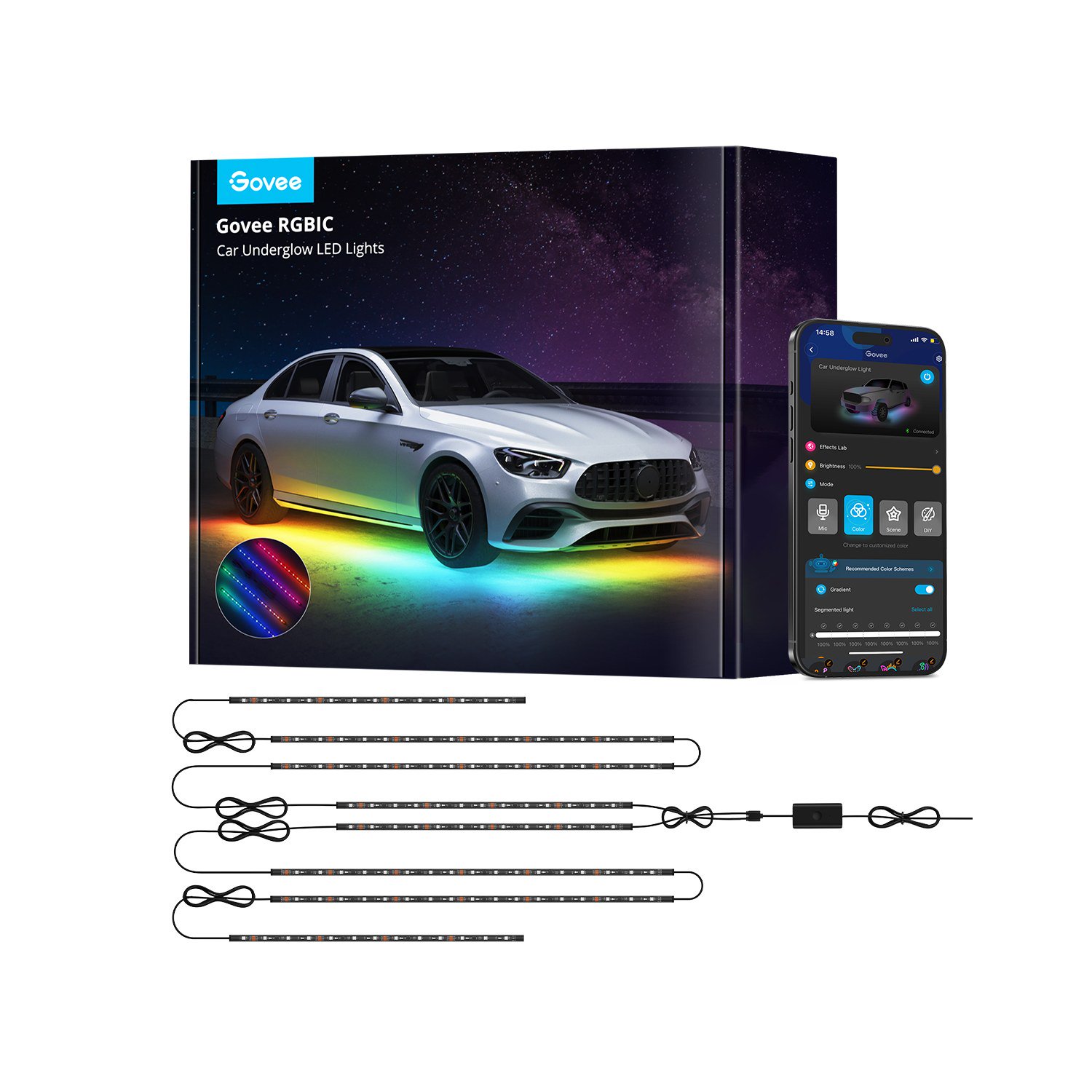
According to the H7092 manual, the kit includes:
- 1 control box
- 8 strip lights
- 14 clips
- 1 user manual
The manual lists the strip lengths as 2 x (0.5 m + 0.7 m + 0.7 m + 0.5 m), which is four strips per side adding up to 2.4 m (about 7.9 ft) on each side of the vehicle. Power comes from the vehicle battery, the rated voltage is 12 to 24 V, and control is through the app over Bluetooth. Govee's product page also mentions an extension cord intended to help the kit fit larger vehicles such as SUVs, trucks and minivans.
Govee's product page lists the H7092 at $69.99, and its Car Lights collection page showed it at $54.99 on November 15, 2026, during the store's Black Friday pre-deals. The manual lists a 12-month limited warranty with lifetime technical support. For Govee's shipping and return terms, see our Govee shopping guide.
Key features, per Govee
- RGBIC lighting: 16 million colors, with RGBIC meaning different sections can display different colors at once.
- Effects: 45 scene modes and 3 music modes in the Govee Home app.
- Vehicle fit: Govee says the kit suits cars, minivans, SUVs, RVs and trucks, and its FAQ confirms truck compatibility. The spec table lists a universal fit and a bottom (undercarriage) mounting position.
- Mounting: an extended 2-wire design plus strip backing, clips and screws for reinforcement.
- Durability: a waterproof sleeve to protect the strips from road debris. The spec table describes the strips as water resistant, and the manual lists a working temperature of -20°C to 45°C.

Before you start: four things to check
1. Measure your vehicle. With four strips of 0.5 m, 0.7 m, 0.7 m and 0.5 m per side, plan where each will sit along the rocker panels or frame and leave room for wiring back to the control box. Larger vehicles are where the extension cord comes in.
2. Find solid, clean mounting surfaces. The strips stick on with adhesive tape and are then secured with clips and screws. The manual warns not to move a strip once it is attached, so dry-fit everything first.
3. Plan the cable route. The control box wires run to the battery in the engine compartment. Govee's manual says to fix the DC wires near the battery and not on any part that easily gets hot. Plan a route that keeps wiring away from exhaust components, moving suspension and steering parts.
4. Check local rules. Laws on aftermarket vehicle lighting vary by state and locality, including which colors are allowed and whether lights may be on while driving. Check your local regulations before using underglow on public roads.
If you are not comfortable working around a car battery or under a vehicle, a professional installer is the safer route.
Step-by-step installation, per Govee's manual
Govee's manual splits installation into preparation and installation. Here is the sequence in its words, with practical context.
Preparation
- Unpack and inspect. Check that every item is in the box and undamaged.
- Test first. Power on the strip lights to make sure they work before mounting anything. Finding a faulty strip now saves you from peeling it off later.
- Connect the DC wires to the power brick (the control box).
- Secure the DC wires near the battery, avoiding any part that easily gets hot.
- Connect to the battery: red (positive) to the positive terminal and black (negative) to the negative terminal.
Mounting the strips
- Clean the mounting surface. Govee says it must be clean, dry and smooth. Road grime and wax can stop the adhesive bonding, so wipe the area thoroughly and let it dry.
- Peel and stick. Remove the protective film from the adhesive tape and press the strip into place. Don't reposition it once it touches.
- Press out air bubbles by running your hand from one end of the strip to the other.
- Fix the fasteners with screws. Use the supplied clips and screws to reinforce each strip, as Govee's product page also recommends. Under a car, adhesive alone is exposed to vibration, water and debris, which is why the kit includes mechanical fasteners.
- Power on and start using the lights.

Pairing with the Govee Home app
The H7092 is controlled over Bluetooth only, so your phone needs to be nearby. Per the manual:
- Turn on Bluetooth on your phone.
- Open the Govee Home app and tap the "+" icon in the top-right corner.
- Select "H7092" from the device list and follow the on-screen steps.
Once paired, you can choose colors, brightness, the 45 scenes and the 3 music modes. Govee's FAQ describes the app as easy to connect and use, with music sync among its main features.

Troubleshooting basics
Govee's manual does not include a troubleshooting section, but these checks follow directly from how the kit works:
- Nothing lights up: confirm the red and black wires are on the correct battery terminals and that the strips are firmly plugged into the control box. You tested the strips before mounting, so a failure afterwards usually points to a connection.
- The app can't find the lights: the H7092 uses Bluetooth, so stay close to the vehicle, make sure Bluetooth is on and the app has the permissions it asks for, and select the H7092 model.
- Music mode doesn't react: if the app asks to use your phone's microphone for music sync, make sure the Govee Home app has microphone access in your phone settings, and check that a music mode is selected.
- A strip is coming loose: add or re-seat the clips and screws. Adhesive alone is not meant to hold the strips under a moving vehicle.
If problems persist, contact Govee support; the manual lists support@govee.com and the 12-month limited warranty.
Care and maintenance
The strips have a waterproof sleeve, but they still live under a vehicle. Inspect them and their wiring every so often, especially after winter driving or off-road trips, for damage, loose clips or chafed cable. Clean them gently with a damp cloth rather than harsh chemicals or abrasive tools, and don't aim a high-pressure washer straight at the connectors. Keep cables tidy and clear of hot and moving parts, as the manual advises.
Is it right for your vehicle?
The H7092 fits best if you want app-controlled, multicolor accent lighting for a car, SUV, minivan, RV or pickup, and you are comfortable connecting wires to a battery and working under the vehicle. It is a universal kit rather than a vehicle-specific one, so measuring first matters. Because laws on vehicle lighting differ by location, many owners use underglow mainly for shows, meetups and parked display.
For other car-related guides, see how to charge a Jackery power station in your car and our breakdown of Pep Boys car battery options. For more Govee lighting, see the Govee permanent outdoor lights comparison.
References
- Govee US, "Govee RGBIC Car Underglow Lights" (H7092) product page: https://us.govee.com/products/govee-rgbic-car-underglow-lights
- Govee US, Car Lights collection (price as of Nov 15, 2026): https://us.govee.com/collections/car-lights
- Govee H7092 RGBIC Car Underglow LED Light User Manual (contents, specifications, installation, app pairing, warranty), via device.report: https://device.report/manual/10911234
- FCC ID 2A7VD-H7092, Govee RGBIC Car Underglow LED Lights equipment authorization: https://fccid.io/2A7VD-H7092
Meet your guide
Lipeiguan
author
What to read next
 Google Adds Computer Use to the Gemini App for Mac in the U.S. On November 19, 2026, Google said computer use is available in the Gemini app for Mac, in English in the U.S. Official requirements include an Apple Silicon Mac on macOS Sequoia 15... How to Use Gemini Computer Use on a Mac: Official Requirements, Permissions and Examples Official Google requirements for computer use in the Gemini app for Mac: an Apple Silicon Mac on macOS Sequoia 15.0 or later, a personal Google account for people 18 or older, a Go...
 How to Choose a SwitchBot Lock: Lock Pro vs Lock Ultra vs Lock Vision and Vision Pro A research-based guide to official SwitchBot Lock Pro, Lock Ultra, Lock Vision and Lock Vision Pro specs and November 20, 2026 U.S. prices, including batteries, hubs, keypads, comp...